Published
- 12 min read
Lamicall Laptop Stand Review: The TechRadar #1 Aluminum Riser
Curated by Nova · vibespecs
⭐ My editorial rating: 4.7 / 5 — how I rate →
Heads up: This is an editorial review compiled from verified Amazon reviews, Lamicall’s published specs, independent reviews (TechRadar, TechGearLab). The rating below is my own editorial rating, not an average of Amazon’s stars. It contains Amazon affiliate links; if you buy through one, I earn a small commission at no extra cost to you. Picks are based on what the data shows, not on sponsorship. No brand paid for or pre-approved this post.
Most laptop neck pain has the same cause: the screen is too low, so you spend the day looking down.
A laptop puts the display and the keyboard on the same plane, which is fine for an hour on the couch and rough for eight hours at a desk. The fix is boring and effective. Raise the screen to eye level, add an external keyboard, and the hunch goes away. That is the entire job of a laptop stand, and it is a category crowded with flimsy risers that wobble the moment you type hard.
The Lamicall Adjustable Laptop Stand is the one the critics keep putting at the top. TechRadar names it the best laptop stand overall. TechGearLab calls it the benchmark for entry-level adjustability without feeling cheap, and singles out its zero wobble even under aggressive one-handed typing. It is also one of the most-reviewed laptop stands on Amazon, with tens of thousands of reviews.
So this post reads through that data. The Lamicall Laptop Stand is aluminum, adjustable, foldable, and sits around the price of a couple of lunches. The editorial question is whether it earns the critics’ top spot or just rides the Lamicall name. Short version from the data: it earns it, with two honest caveats we will get to.
First Impression: What Buyers Notice on Day One
Two things show up first in the reviews: the weight, and the silence under the keyboard.
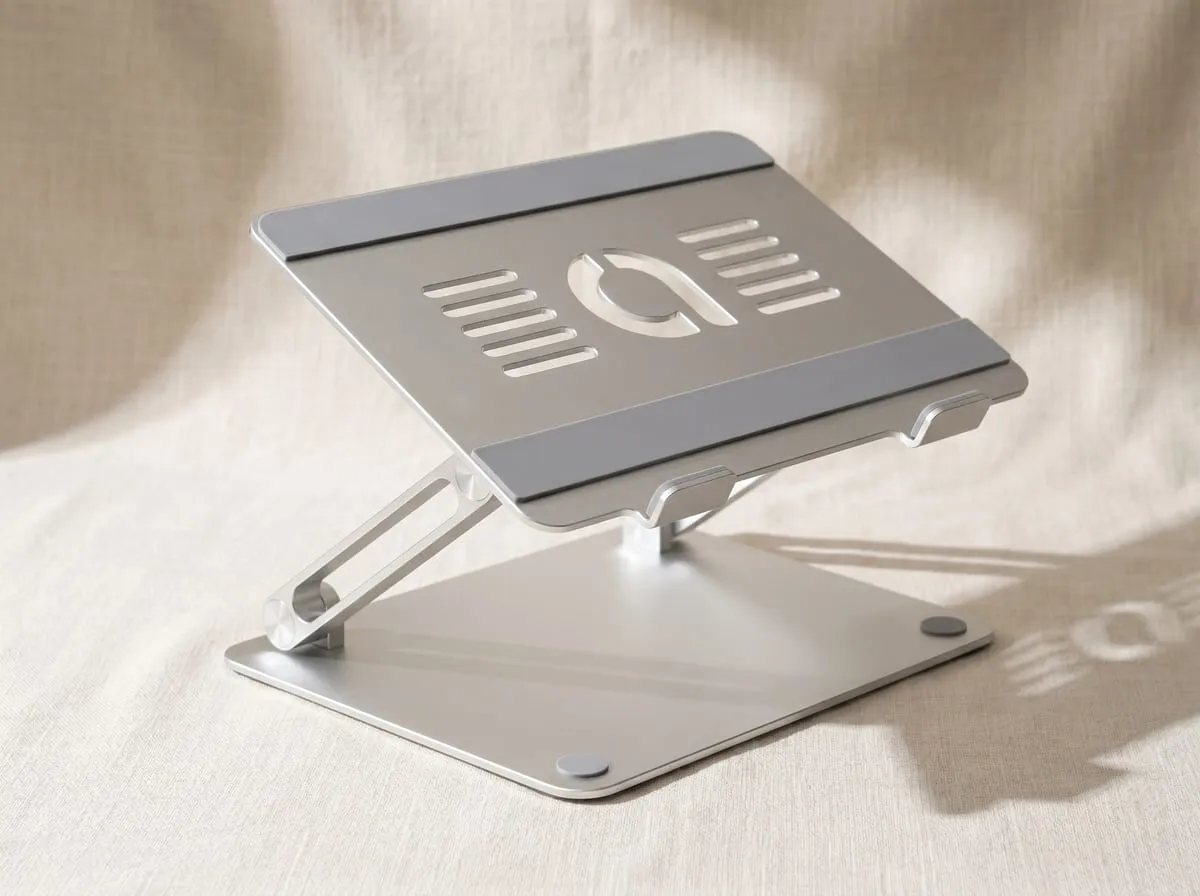
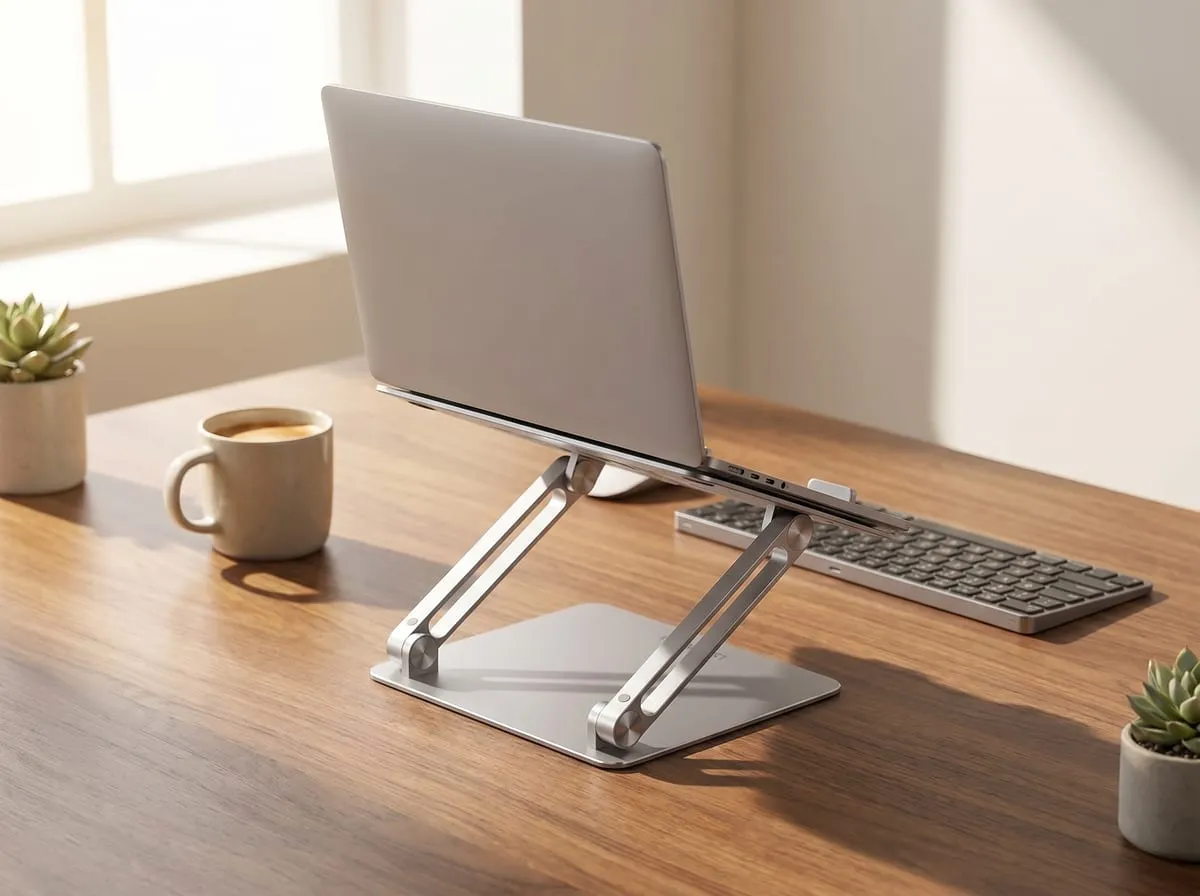
The weight is the surprise. People expect an aluminum riser at this price to feel hollow, and the reviews describe the opposite. It has real heft, a wide base, and rubber feet that grip the desk — owners repeatedly describe it as a genuinely solid, sturdy platform rather than the hollow aluminum they expected at this price. That weight is doing a job, which the next section gets into.
The second thing buyers notice is that nothing moves when they type. Cheaper risers transmit every keystroke into a faint wobble that you feel all day. The reviews for the Lamicall keep landing on the absence of that wobble as the thing that separates it from the stand it replaced.
Use #1: Fixing the Hunch (Why Most People Buy It)
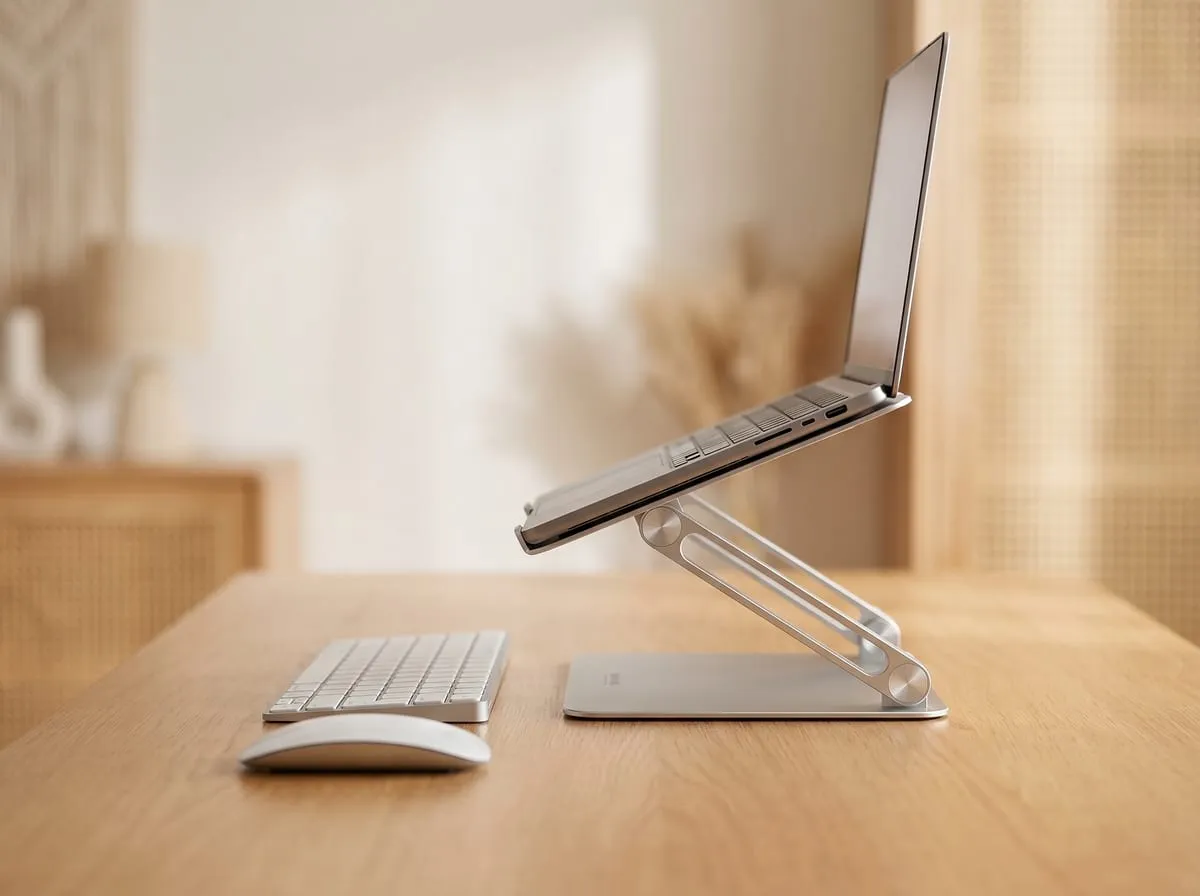
This is the main reason the stand sells: posture. The buyers reaching for it are the ones who moved to a laptop full time and felt their neck and shoulders pay for it.
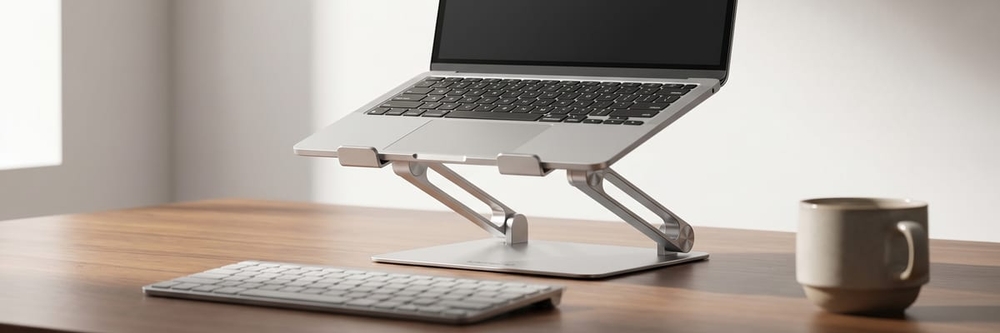
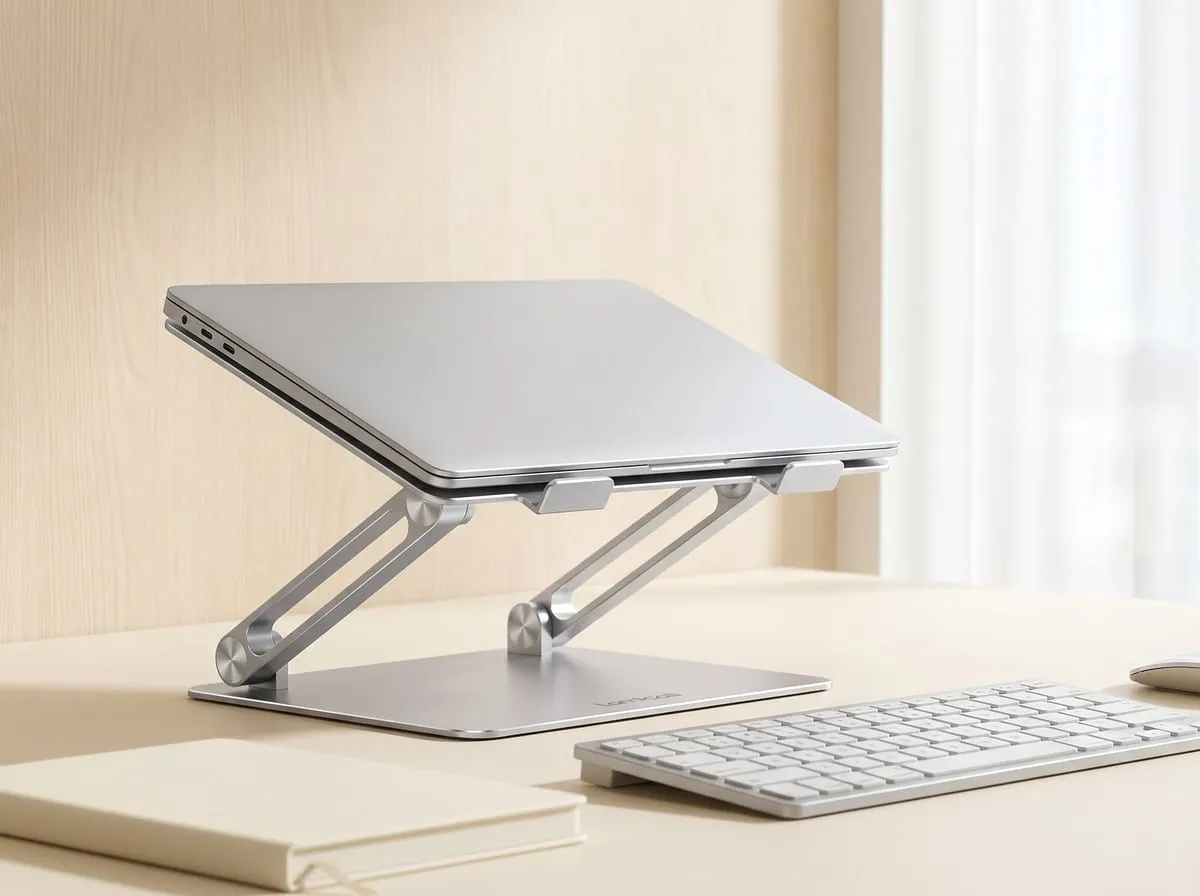
The stand raises the screen toward eye level and tilts it to a comfortable angle, so the head stops dropping forward. Paired with an external keyboard and mouse, it turns a laptop into something closer to a proper desktop setup. Owners describe the full payoff in one breath: a better camera angle, easier hand posture, the screen raised to eye level — and it holds its position even under a heavy laptop.
That quote names three wins at once. Eye-level screen for the neck, a typing angle that is easier on the wrists once you add a separate keyboard, and a webcam that now points at your face instead of up at the ceiling. For anyone on video calls all day, the camera-angle improvement alone is worth the price of entry.
Use #2: Cooler, Quieter Laptops
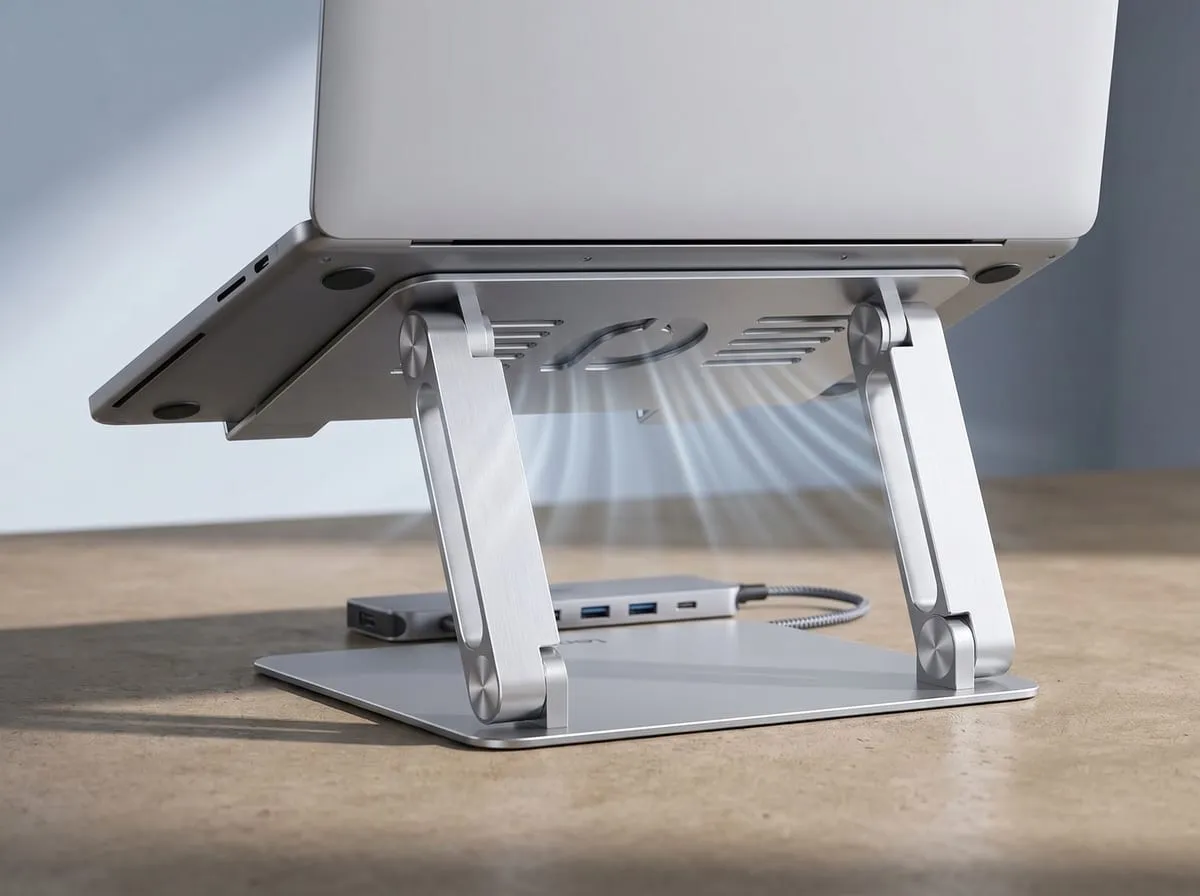
The second pattern in the reviews is thermal. Lifting the laptop off the desk opens airflow under the chassis, and the open frame of the Lamicall is built around a ventilation gap rather than a solid shelf.
A laptop that breathes runs cooler, and a cooler laptop throttles less and spins its fans up less often. Reviewers who do heavier work, video editing, large builds, long export jobs, mention the stand as part of why their machine stays quieter under load. It is not a substitute for an active cooling pad with fans, and the reviews are honest about that, but for everyday work the passive airflow is enough to take the edge off a hot-running laptop.
The open design has a second benefit the reviews note: the keyboard and trackpad stay reachable, and there is room underneath to tuck a keyboard or a small hub when the desk is tight.
Use #3: Folds Flat for Small Desks and Travel
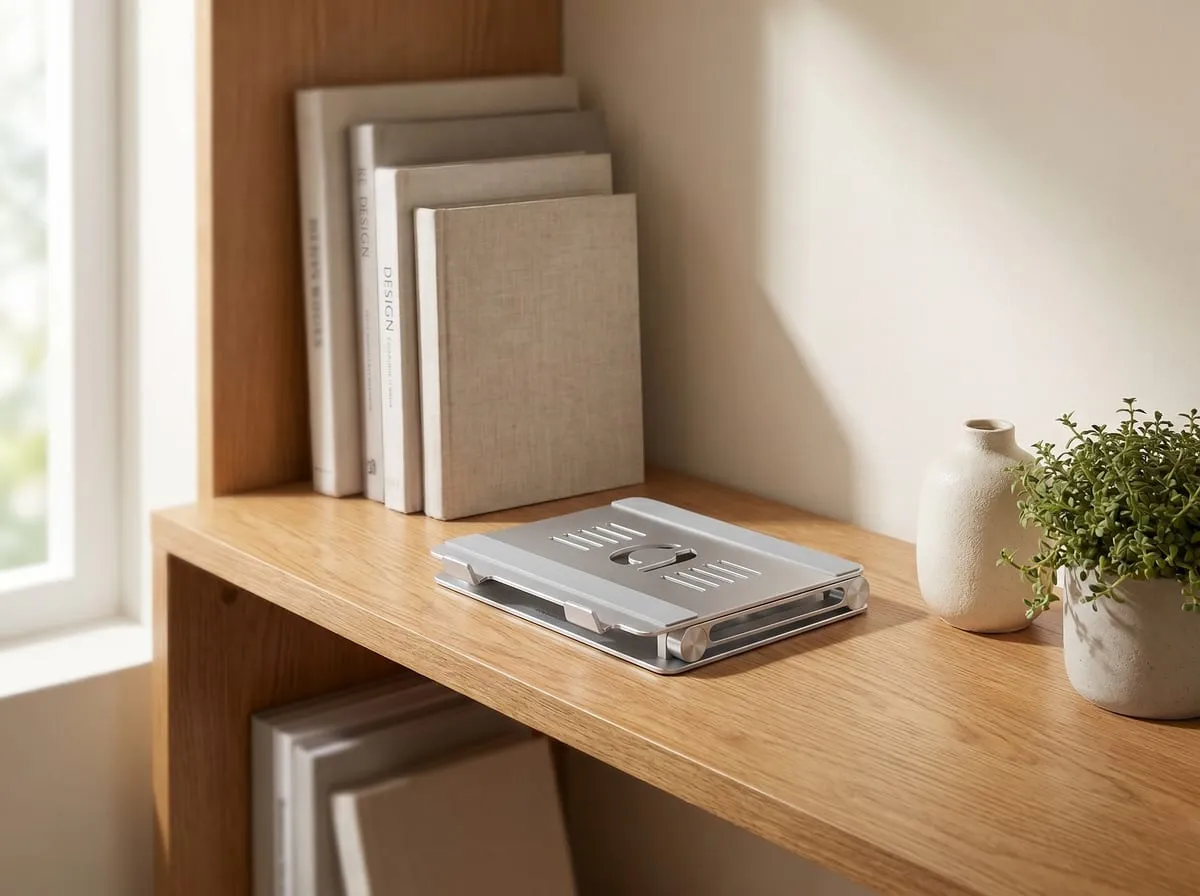
The third use case is the one that widens the audience: the stand folds nearly flat and weighs little enough to move around.
Reviewers with small desks like that it collapses and slides into a drawer when they need the surface back. Reviewers who travel or work in more than one spot like that it folds into a bag for a hotel desk, a co-working table, or a relative’s kitchen counter over the holidays. It supports laptops from roughly 10 to 17.3 inches, so it fits everything from a small ultrabook to a large 17-inch machine, and reviewers also use it for tablets and as a reading or recipe stand in the kitchen.
The fold-flat design is what makes a single $30-ish stand work across a desk, a couch session, and a trip, instead of needing a different solution for each.
The “Zero Wobble” Test
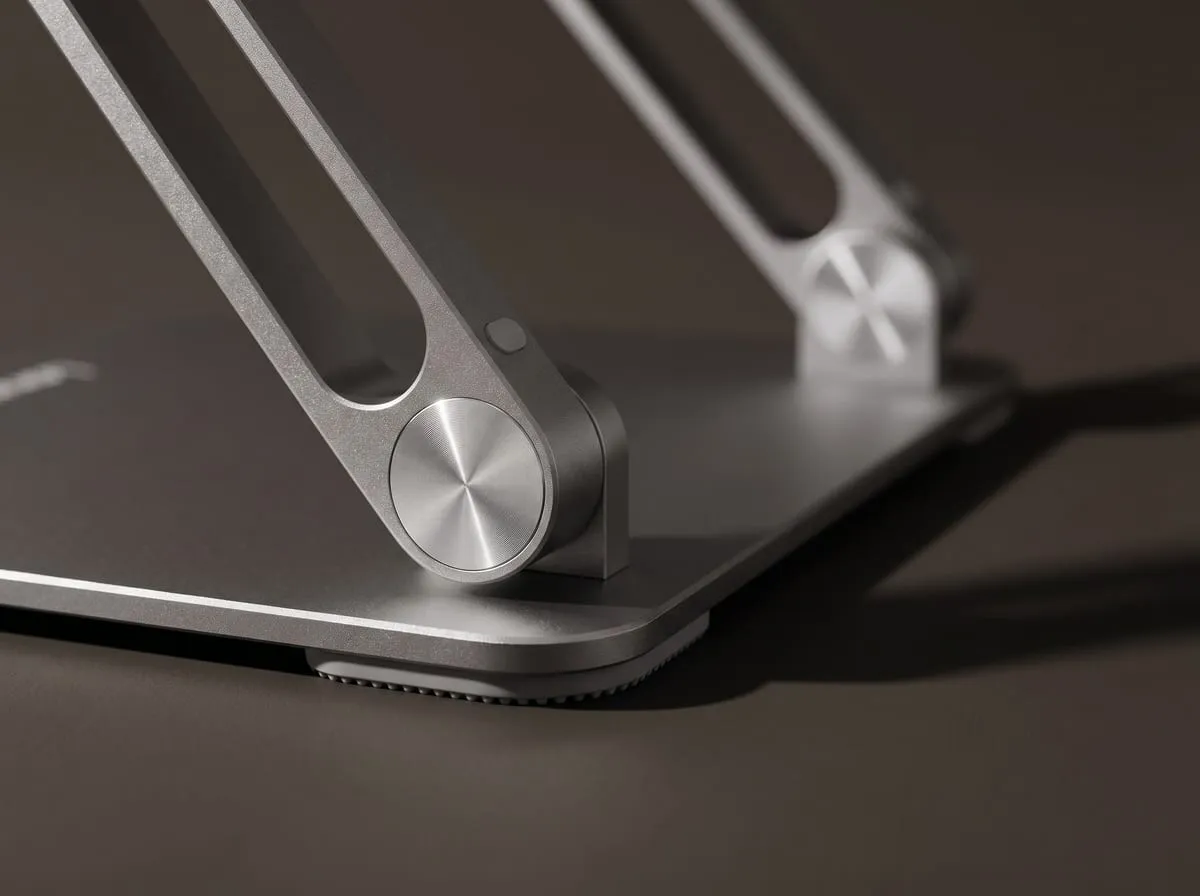
The single most-repeated point across the reviews deserves its own section, because it is what the critics led with too: the stand does not wobble.
The reason is a combination of three things. A wide, weighted base lowers the center of gravity. Tight, high-friction hinges hold the set angle instead of creeping. Large rubber feet plus rubber pads where the laptop rests keep both the stand and the machine from sliding. TechGearLab put a 15-inch laptop through aggressive one-handed typing and reported zero wobble, and the verified reviews echo it. Owners who have used the stand for years note the same durability — the hinges stay sturdy and hold their angle well beyond the first season.
That is the difference between a stand you stop noticing and one that annoys you every time you press a key. The Lamicall lands on the right side of it, and it is the main reason it sits at the top of the critics’ lists.
Features Breakdown
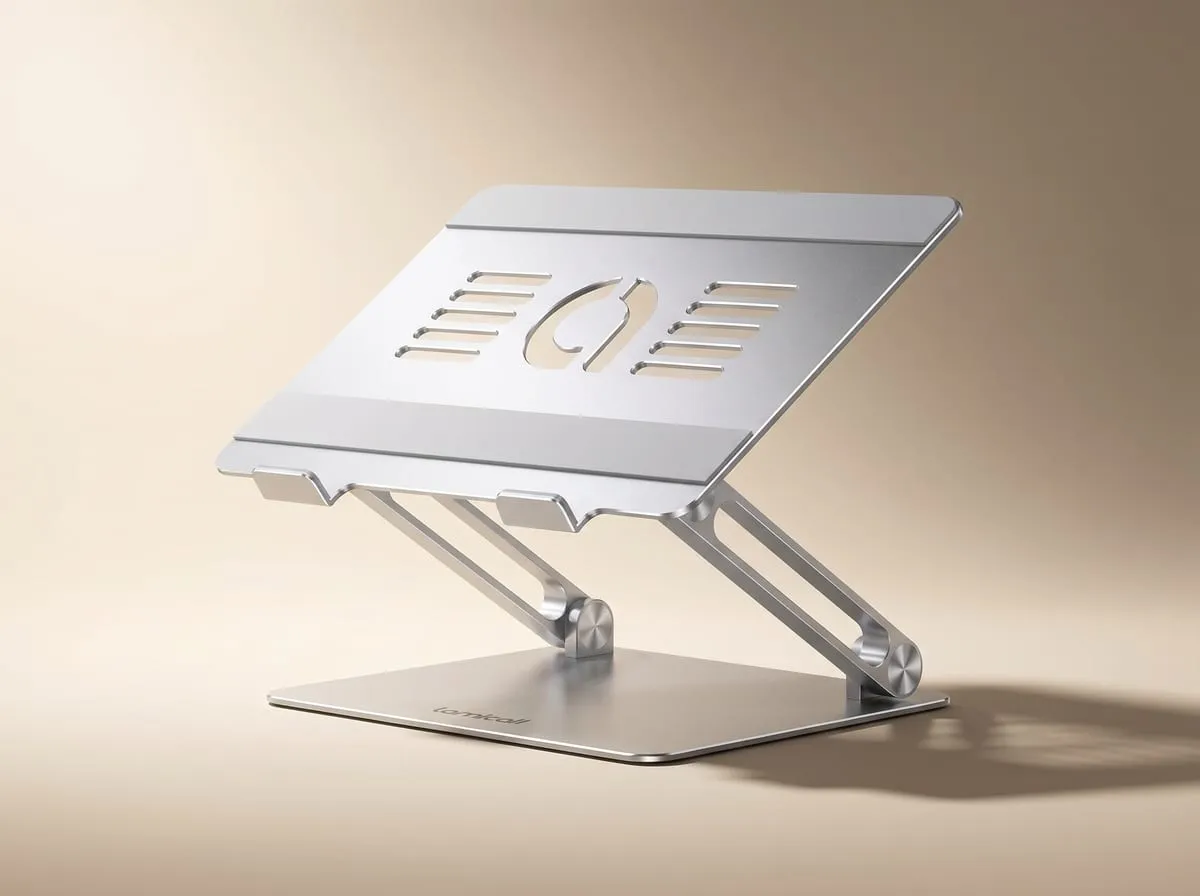
The hero features as the reviews and specs describe them:
- Reinforced aluminum alloy build with real weight and a wide anti-tip base
- Height and angle adjustable so you can dial the screen to eye level for your chair and desk
- Fits 10 to 17.3-inch laptops, plus tablets and use as a kitchen or reading stand
- Open, ventilated frame that improves airflow under the laptop for cooler, quieter running
- Large rubber feet and laptop-rest pads that stop both the stand and the machine from sliding
- Folds nearly flat and is light enough to move between desks or pack for travel
- Certified to the Global Recycled Standard (at least 50% recycled content), plus safer-chemicals and worker-well-being certifications
Good to Know Before You Buy
A few honest ceilings show up in the reviews. None is a dealbreaker for the buyer this stand is built for — they are just worth knowing so you pick it for the right reasons:
- It raises the screen, but it is not a sit-stand converter. It fixes seated posture and camera angle; if you want to work standing, you’d add a separate sit-stand riser on top of it.
- The cooling is passive, not active. Lifting the laptop and the open frame improve airflow for everyday work; for sustained heavy loads, pair it with an active cooling pad that has fans.
- The hinges are firm by design. That tight tension is exactly what gives it the no-wobble hold, so changing the height or angle takes a real, firm push rather than a light tap.
- It holds one laptop, not a heavy external display. It is a laptop riser, not a dual-monitor arm — match it to the job and it does that job well.
Is It Worth It at Around $30 to $40?
The short answer the review data supports: yes, easily, and it is one of the clearest value picks in the whole desk-upgrade category.
The comparison that frames it: premium aluminum stands from the better-known accessory brands run $60 to $100 for the same basic job, and a full sit-stand converter runs well into the hundreds. The Lamicall delivers the aluminum build, the adjustability, the ventilation, and the fold-flat portability for roughly the price of a couple of lunches. That gap between price and build quality is exactly why TechRadar files it as the best overall rather than the best premium.
For a single change that fixes laptop posture, improves your camera angle, and helps the machine run cooler, it is one of the easiest sub-$50 recommendations on a desk.
How we scored the Lamicall Stand — 4.7 / 5
My rating isn’t an average of anyone’s stars — it’s an editor’s read across the things that actually decide whether a laptop stand earns its spot — weighed from the feature set, the published specs, the build, and the themes that recur across owner feedback. Here’s how the Lamicall Stand landed:
| What we weighed | Call | Why |
|---|---|---|
| Stability | Excellent | A wide weighted base, tight high-friction hinges, and rubber feet deliver the no-wobble hold even under aggressive one-handed typing. |
| Build quality | Excellent | Reinforced aluminum alloy with real heft, plus a Global Recycled Standard cert, and owners report hinges that hold their angle for years. |
| Adjustability & ergonomics | Strong | Height and angle adjust to bring the screen to eye level, fixing the hunch and lifting the webcam to face level. |
| Versatility & portability | Strong | Folds nearly flat, fits 10 to 17.3-inch laptops, and doubles as a tablet, reading, or kitchen stand on a desk or on the road. |
| Value | Excellent | Delivers the aluminum build, ventilation, and fold-flat design for about the price of a couple of lunches, against premium stands at $60 to $100. |
Why 4.7 and not a perfect 5: the hinges are intentionally firm, so re-angling takes a real push rather than a light tap, and the cooling is passive only — sustained heavy loads still want an active cooling pad with fans.
This is my own editorial rating — not an average of Amazon’s stars. How I rate →
The Verdict
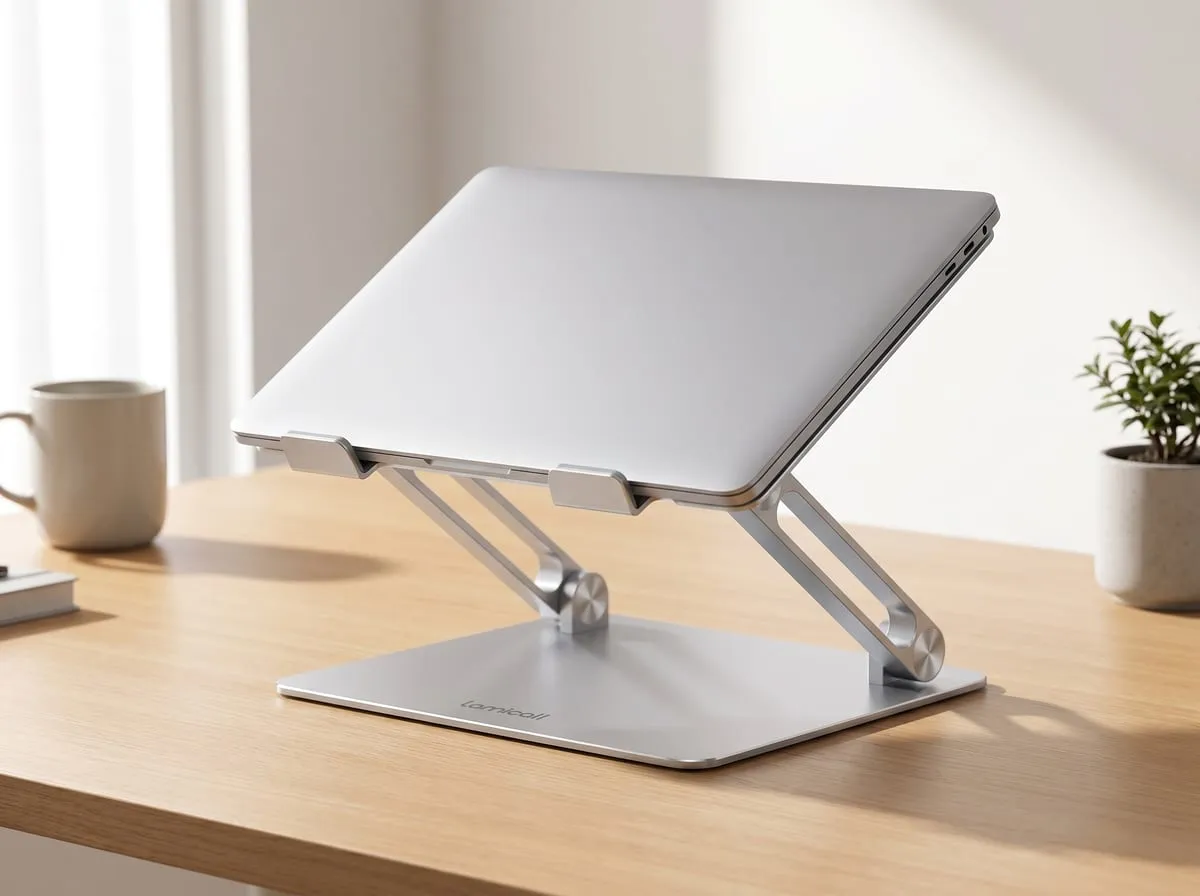
After reading through tens of thousands of verified reviews, Lamicall’s published specs, and the independent reviews from TechRadar and TechGearLab, my editorial position is this: the Lamicall Adjustable Laptop Stand earns its place at the top of the critics’ lists. It is sturdy where cheaper stands are flimsy, it folds away when you need the desk back, and it fixes the posture and camera-angle problems that come with living on a laptop, all at a price that makes it an easy yes.
Two honest caveats keep it from being perfect for everyone. The hinges are intentionally tight, which is what gives it that no-wobble hold, but it means changing the height or angle takes a real, firm push rather than a light touch. And it is heavier than its folded size suggests, which is great for stability on a desk and slightly less great if you wanted the lightest possible travel option.
Buy it if you:
- Work on a laptop all day and feel it in your neck or shoulders
- Take a lot of video calls and want the camera at eye level
- Want a sturdy aluminum stand without paying premium-brand prices
- Need something that folds flat for a small desk or for travel
- Want better airflow to keep a hot-running laptop quieter
Skip it if you:
- Want to work standing; this raises the screen, it is not a sit-stand converter
- Need active fan cooling for sustained heavy loads
- Want a stand you can re-angle constantly with one light tap (the hinges are firm by design)
- Need to mount a heavy external monitor rather than a laptop
FAQ
Q: What size laptops does the Lamicall stand fit? It supports laptops from roughly 10 to 17.3 inches, which covers everything from a small ultrabook to a large 17-inch machine. Reviewers also use it for tablets and as a kitchen or reading stand.
Q: Is it sturdy, or does it wobble when you type? Sturdy. A wide weighted base, tight hinges, and rubber feet are what reviewers and independent testers credit for its no-wobble hold, even under hard typing. The trade-off is that the hinges are firm to adjust.
Q: Does it actually help a laptop run cooler? It helps. Lifting the laptop and the open, ventilated frame improve passive airflow under the chassis, so the machine runs cooler and quieter for everyday work. It is not a replacement for an active cooling pad with fans under sustained heavy load.
Q: Does it fold for travel? Yes. It folds nearly flat and is light enough to slide into a drawer or pack in a bag, which is why reviewers use it across a home desk, a co-working space, and trips.
Q: Is it good for standing desks? It raises your screen toward eye level while seated. It is not a sit-stand converter, so it will not let you work standing. For standing work you need a separate sit-stand riser.
Pairing it with the rest of a desk refresh? The Logitech M650 silent mouse review covers the quiet-input half of the same setup — and the Lamicall stand is one of six picks in the 6 Best Desk Setup Upgrades Under $50 roundup, alongside the rest of the lineup.
Join the Nova’s Picks community 🔍
Get new honest reviews, roundups & finds first — and ask me what to buy before you do.
Join the free Facebook group →