Published
- 13 min read
6 Best Desk Setup Upgrades Under $50
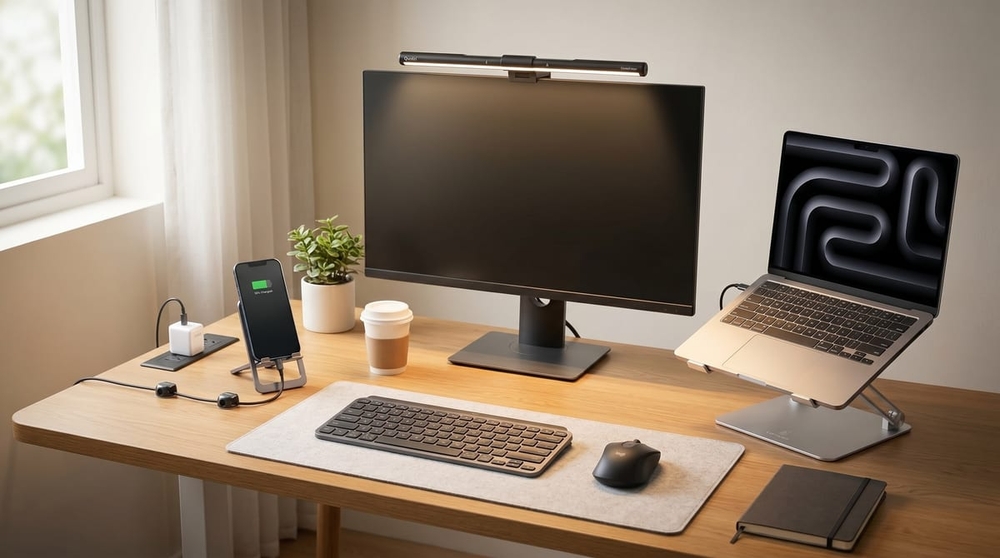
Curated by Nova · vibespecs
⭐ My editorial ratings — an editor’s read of the evidence, not an average of Amazon’s stars. how I rate →
Heads up: This is an editorial roundup compiled from verified Amazon reviews, manufacturer specs, and named third-party coverage from TechRadar, Tom’s Guide, TechGearLab, and The Gadgeteer. The ratings below are my own editorial assessments, not Amazon’s star averages. It contains Amazon affiliate links; if you buy through one, I earn a small commission at no extra cost to you. Picks are based on what the data shows, not on sponsorship — and I do not test products personally. No brand paid for or pre-approved this post.
Skip the read and see the side-by-side comparison ↓
📊 By the Numbers (all 6 picks combined) Tens of thousands of verified ratings across 6 picks · TechRadar’s #1 laptop stand + Tom’s Guide best-budget mouse anchor the lineup
A good desk does not need a $1,200 overhaul. Most of what makes a setup feel finished comes down to a handful of small upgrades that fix the boring problems: cables everywhere, a screen too low, a charger that hogs the outlet, a mouse that wakes the house. The six picks below each solve one of those, each lands under $50, and each is backed by strong reviews or an editorial nod.
Two of them carry the kind of third-party recognition that’s rare in this price range: the Lamicall stand is TechRadar’s #1 laptop stand overall, and the Logitech M650 is Tom’s Guide’s best-budget wireless mouse. The other four earn their place on verified-buyer track record and a clear spec story. Three of the six even come with sustainability receipts: Anker’s reduced-carbon certification, Lamicall’s Global Recycled Standard build, and Logitech’s ECOLOGO. Start with the comparison, then jump to whichever fixes your desk first.
Side-by-side comparison
| # | Product | Band | Best for | My rating | Key spec | Editorial cred |
|---|---|---|---|---|---|---|
| 1 | Anker Nano 30W Charger | ~$20 | Fast, tiny charging | 4.5 / 5 | 30W GaN · foldable | TechRadar reviewed |
| 2 | Quntis Monitor Light Bar | ~$30 | Glare-free desk light | 4.6 / 5 | Asymmetric · auto-dim | Reader-favorite budget pick |
| 3 | Lamicall Laptop Stand | ~$25–38 | Posture + cooling | 4.7 / 5 | Aluminum · adjustable | TechRadar #1 stand |
| 4 | Chfeila Cable Clips | ~$7 | Cable management | 4.7 / 5 | 8-pack · dual-lock | Value cable-fix pick |
| 5 | Logitech M650 Mouse | ~$30–40 | Quiet, comfy clicks | 4.5 / 5 | Silent · 2-yr battery | Tom's Guide best budget |
| 6 | JSAUX Phone Stand | ~$8–10 | Phone at eye level | 4.8 / 5 | Aluminum · 0–90° | The Gadgeteer reviewed |
- Band
- ~$20
- Best for
- Fast, tiny charging
- My rating
- 4.5 / 5
- Key spec
- 30W GaN · foldable
- Editorial cred
- TechRadar reviewed
- Band
- ~$30
- Best for
- Glare-free desk light
- My rating
- 4.6 / 5
- Key spec
- Asymmetric · auto-dim
- Editorial cred
- Reader-favorite budget pick
- Band
- ~$25–38
- Best for
- Posture + cooling
- My rating
- 4.7 / 5
- Key spec
- Aluminum · adjustable
- Editorial cred
- TechRadar #1 stand
- Band
- ~$7
- Best for
- Cable management
- My rating
- 4.7 / 5
- Key spec
- 8-pack · dual-lock
- Editorial cred
- Value cable-fix pick
- Band
- ~$30–40
- Best for
- Quiet, comfy clicks
- My rating
- 4.5 / 5
- Key spec
- Silent · 2-yr battery
- Editorial cred
- Tom's Guide best budget
- Band
- ~$8–10
- Best for
- Phone at eye level
- My rating
- 4.8 / 5
- Key spec
- Aluminum · 0–90°
- Editorial cred
- The Gadgeteer reviewed
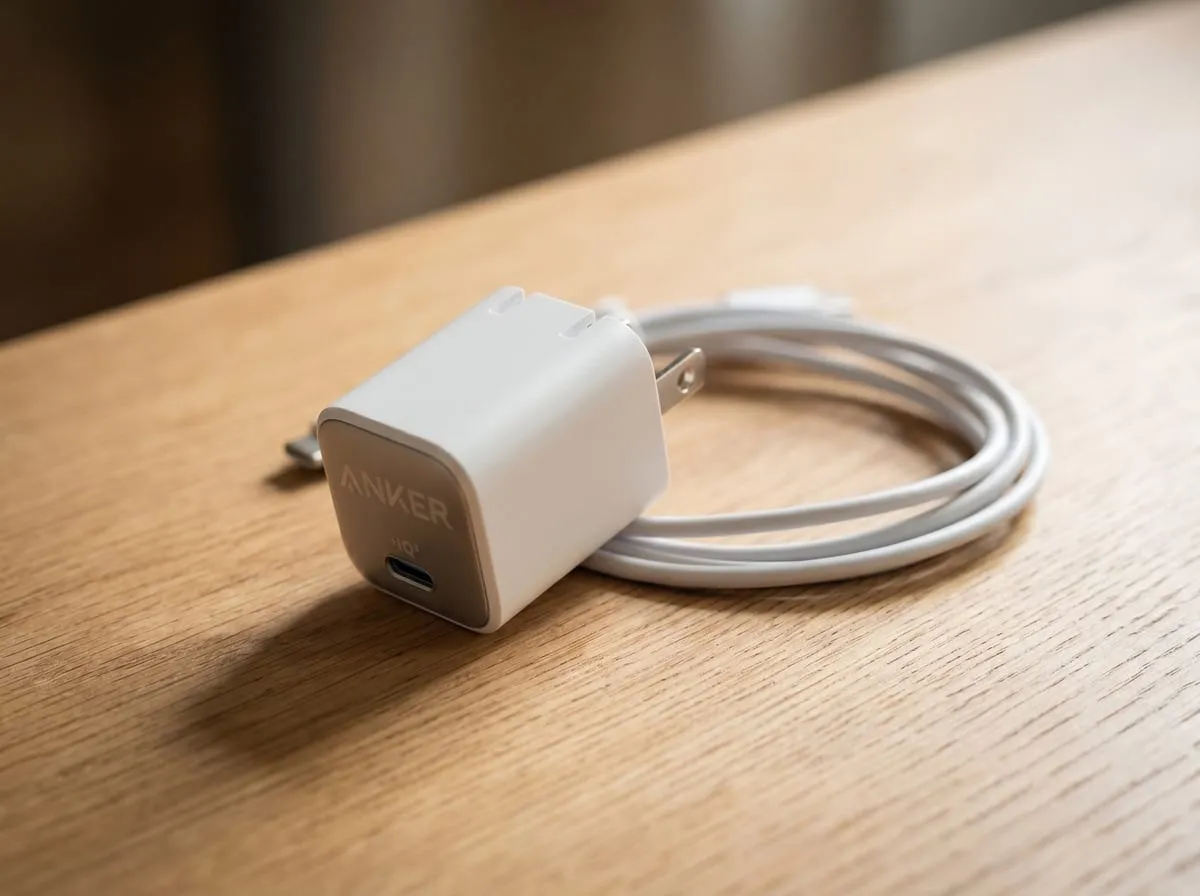
1. Anker Nano 30W USB-C Charger
🏷️ THE TRAVEL MUST-HAVE · COMPACT CHARGING
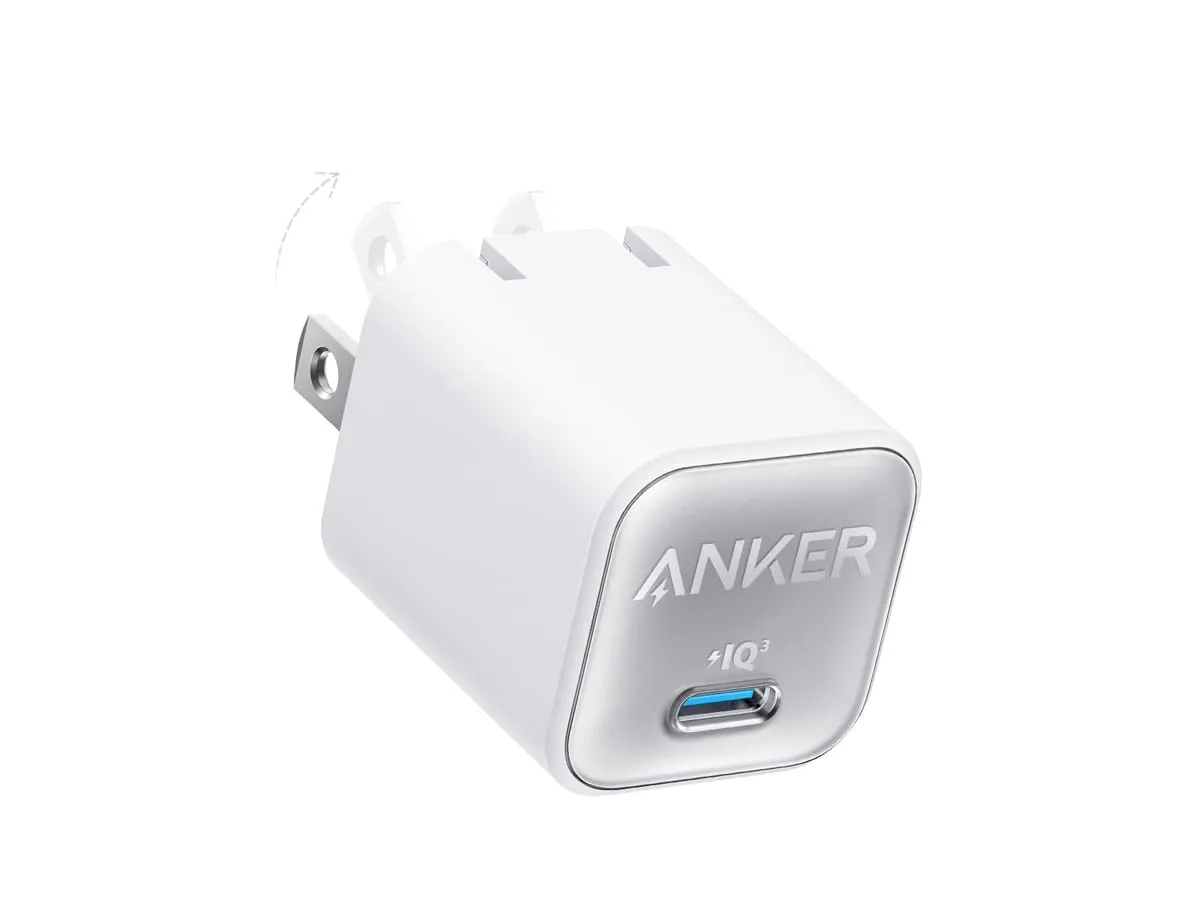
The Anker Nano 30W USB-C charger is the charger that finally makes the in-box brick obsolete. Gallium-nitride internals let it push a full 30 watts from a body roughly 70% smaller than a standard 30W charger, with prongs that fold flat for travel. It fast-charges iPhone, Galaxy (25W Super Fast), Pixel, and more, and runs Anker’s ActiveShield 2.0 safety monitoring. TechRadar reviewed it as “stylish, speedy and small.”
Verified buyers describe a charger small enough to disappear into a pocket that still fills a phone fast, and one that’s held up as sturdy and durable over months of daily carry. — Paraphrased from verified-buyer reviews
Pros
- Full 30W from a GaN body, about 70% smaller than a standard 30W brick
- Foldable prongs that pack flat for travel
- Broad fast charging: USB Power Delivery 3.0 + PPS + PowerIQ 3.0; 25W Samsung Super Fast
- ActiveShield 2.0 safety, temperature-monitored charging
- Reduced-carbon-footprint certified
Specs at a Glance
- Output: 30W single USB-C
- Design: GaN, foldable prongs
- Protocols: PD 3.0 · PPS · PowerIQ 3.0
- Price band: about $20
Good to Know — It’s a single-port charger. It charges one device at a time, so if you need to top up a phone and earbuds at once, pair it with a second charger or a multi-port hub. For a one-device everyday-carry charger, that trade is what keeps it this small.
⭐ My rating: 4.5 / 5 · TechRadar “stylish, speedy and small”
Read the full Anker Nano review →
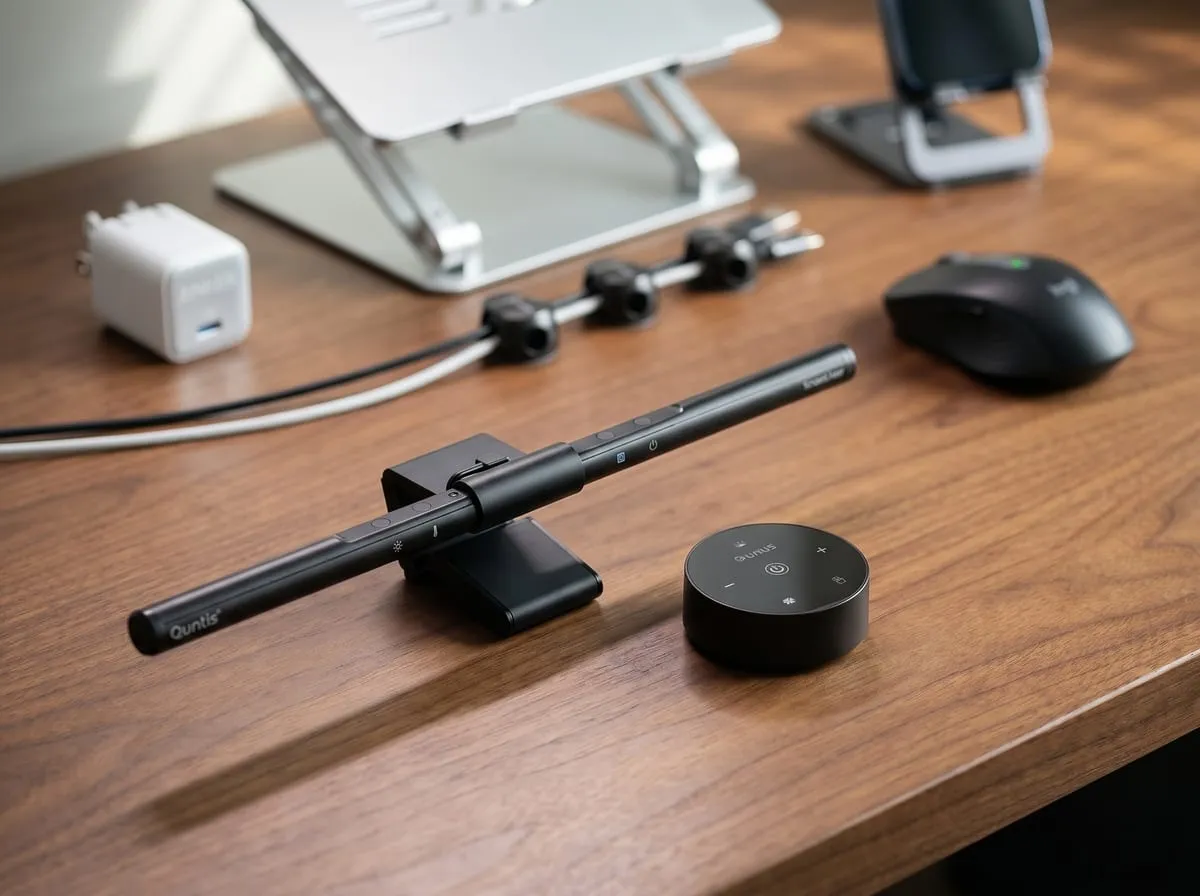
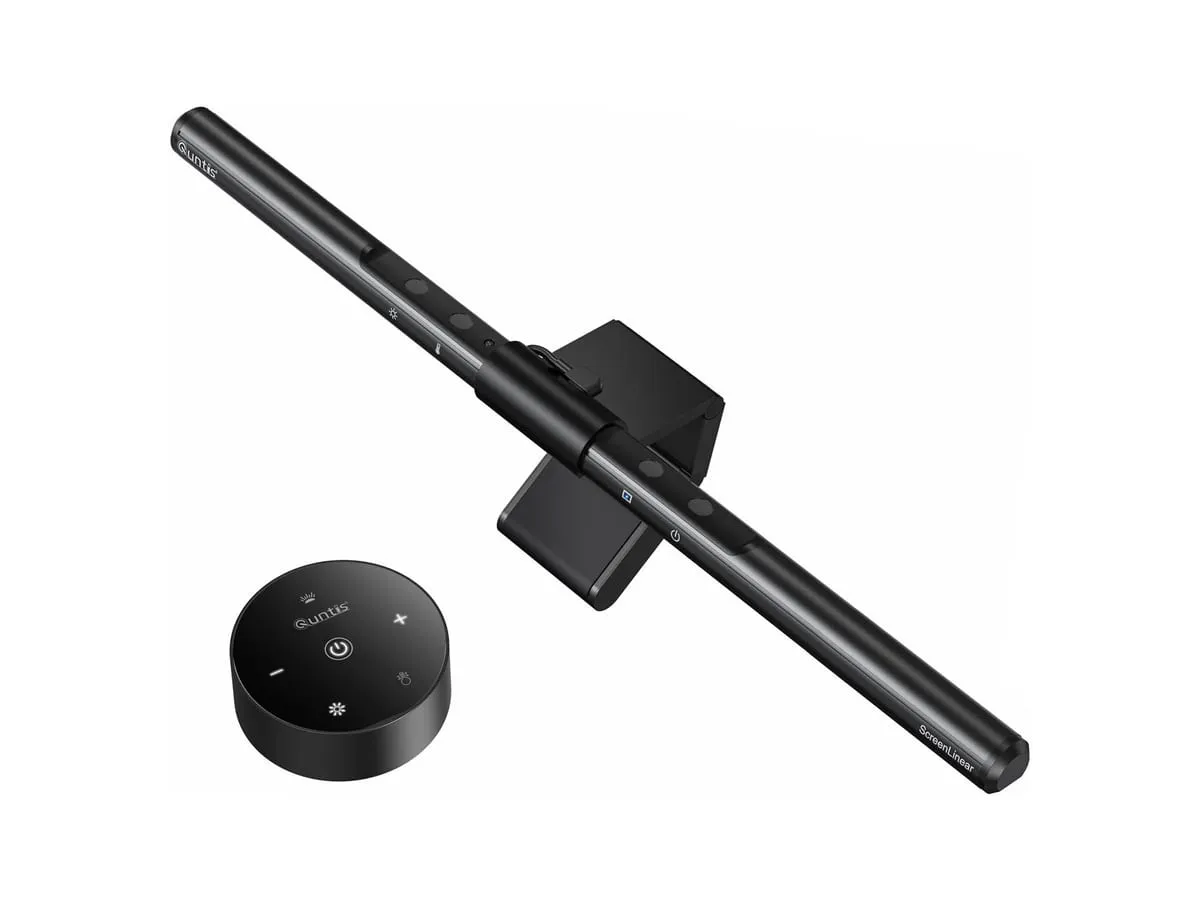
2. Quntis Monitor Light Bar
🏷️ THE WFH DESK UPGRADE · LIGHTING
The Quntis Monitor Light Bar is the upgrade that fixes the lamp glaring off your screen. It clips to the top of a monitor and throws asymmetric light down onto the desk (not into your eyes or onto the display) with auto-dimming and touch controls. It’s the budget alternative reviewers reach for instead of the pricier name-brand screen bars, and it adds zero desk footprint.
Verified buyers say it kills glare both on the screen and in their eyes even at full brightness, and that they can finally see the keyboard at night without turning the office into a tanning salon. — Paraphrased from verified-buyer reviews
Pros
- Asymmetric no-glare optics that light the desk, not the screen or your eyes
- Auto-dimming + manual dimmable with touch controls
- Space-saving clip mount with no desk footprint
- USB-powered, runs off a free port or hub
Specs at a Glance
- Type: USB-powered LED task bar
- Optics: Asymmetric, no-glare
- Controls: Touch · auto-dim + manual
- Price band: about $30
Good to Know — It’s USB-powered, so it needs a free port. Budget a spare USB-A port or a hub for it. And note this is the base Quntis model. The reviewer-favorite “half the price of BenQ” write-ups cover the Pro / Pro+ / ScreenLinear units, which add rear ambient lighting and a remote; this one earns its place on its own strong track record.
⭐ My rating: 4.6 / 5 · reader-favorite budget screen-bar pick
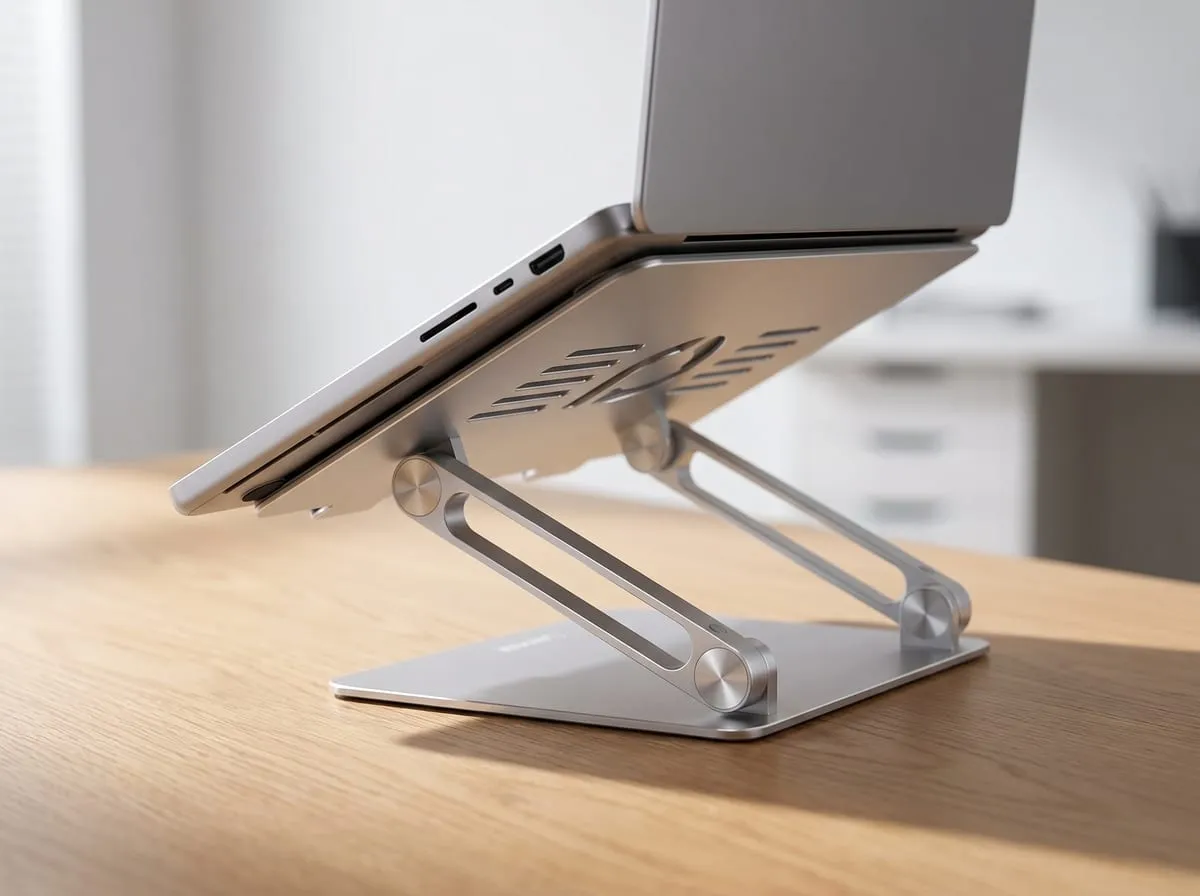
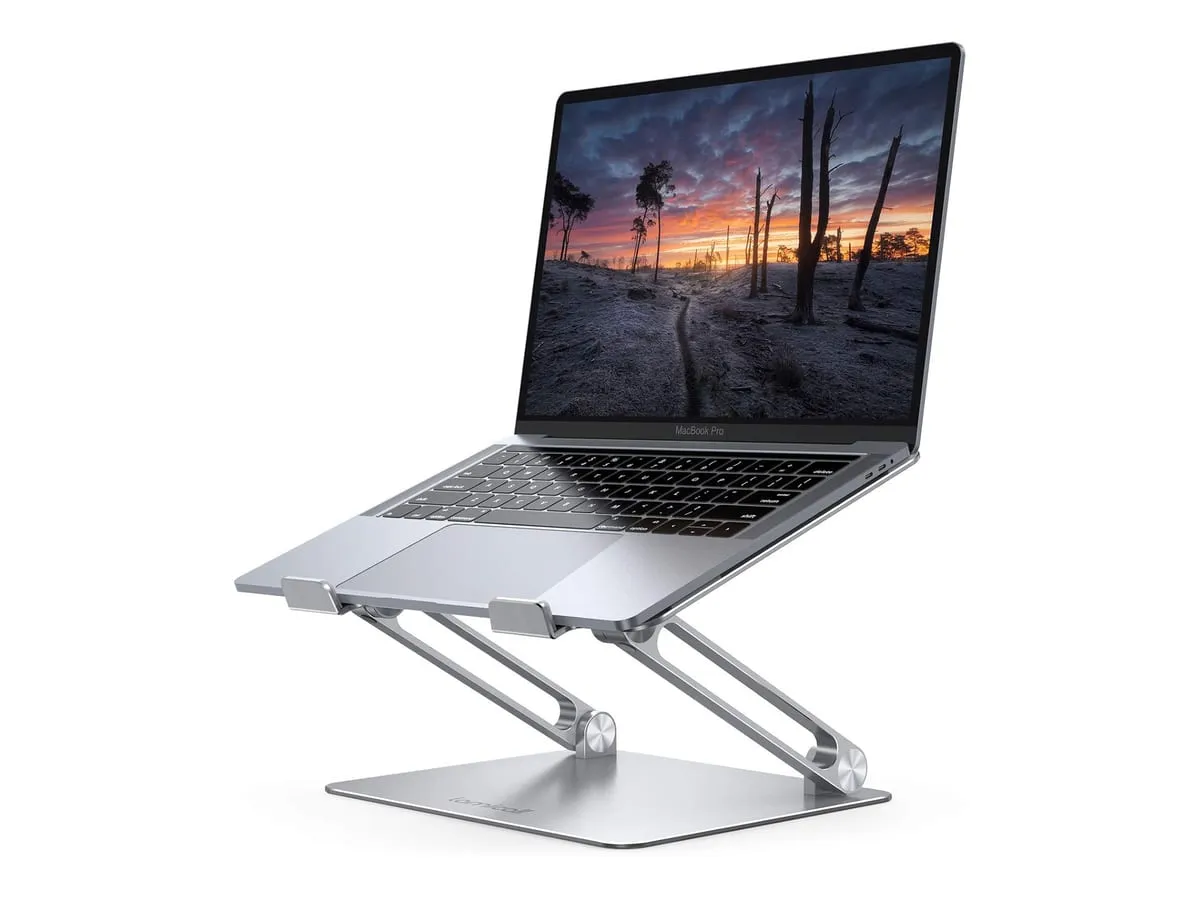
3. Lamicall Aluminum Laptop Stand
🏷️ THE TOP-RATED LAPTOP STAND · WORKSPACE
The Lamicall Aluminum Laptop Stand is the posture fix the critics rank first. TechRadar names it the best laptop stand overall, and TechGearLab praises its zero wobble under hard typing. Reinforced aluminum, height and angle adjustable, fits 10–17.3” laptops, and an open ventilated frame that keeps the machine cooler and quieter. It folds nearly flat for travel.
Verified buyers call it a solid aluminum platform that raises the screen to ergonomic height, improves hand posture, and looks better on camera, with hinges several say are still sturdy years in. — Paraphrased from verified-buyer reviews
Pros
- TechRadar’s #1 laptop stand overall, plus TechGearLab’s “zero wobble” benchmark
- Reinforced aluminum with height + angle adjustment
- Open, ventilated frame for cooler, quieter running
- Wide weighted base + rubber feet: no wobble; folds flat
- Global Recycled Standard certified (50%+ recycled)
Specs at a Glance
- Material: Reinforced aluminum alloy
- Fits: 10–17.3” laptops
- Adjustability: Height + angle
- Price band: about $25–38
Good to Know — The hinges are firm by design. Adjusting height or angle takes real force. That stiffness is exactly what kills the wobble, but it surprises people on day one. It’s also heavier than its folded size suggests, which is part of why it stays put under aggressive typing.
⭐ My rating: 4.7 / 5 · TechRadar #1 laptop stand · TechGearLab “zero wobble”
Read the full Lamicall stand review →
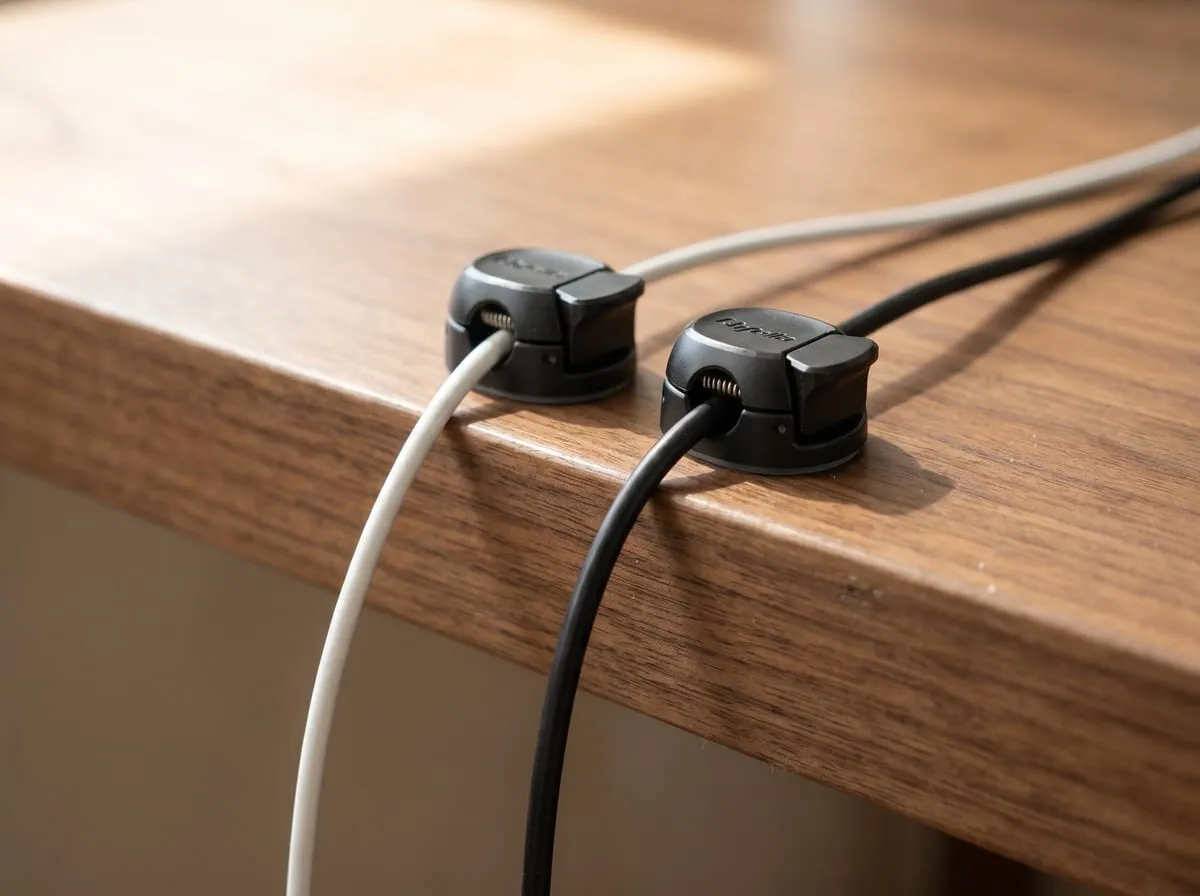
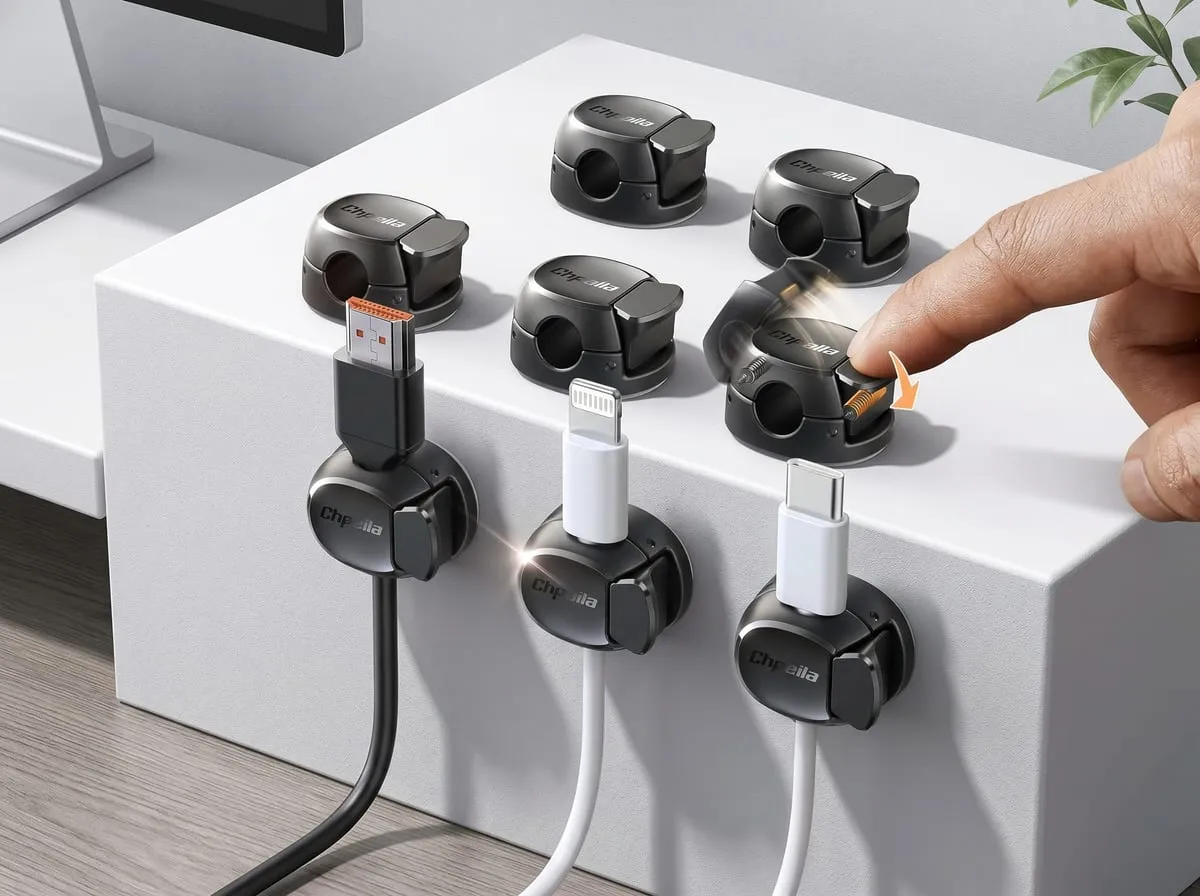
4. Chfeila 8-Pack Cable Clips
🏷️ THE DESK CABLE FIX · UNDER $10
The Chfeila 8-Pack Cable Clips are the cheapest upgrade here and the one you notice every day. The dual-spring-and-clasp clips lock a cable in place but release it with a one-second press, so the charging cable stops sliding behind the desk. Strong removable adhesive holds on glass, wood, metal, and tile without residue, and the ABS-PC build is more durable than the silicone clips it competes with.
Verified buyers describe cords that snap into place and pull free only when wanted, with adhesive that grips the desk and keeps cables from sliding away. — Paraphrased from verified-buyer reviews
Pros
- Dual-spring + clasp lock, one-second, one-handed in and out
- ABS-PC build that’s more durable than silicone; fits cords up to about 7.5 mm
- Strong removable adhesive: no residue, with extra pads in the box
- Lifetime replacement from the maker
Specs at a Glance
- Count: 8 clips
- Slot: Fits cords up to about 7.5 mm
- Mount: Removable adhesive (+ spare pads)
- Price band: about $7
Good to Know — Give the adhesive 24 hours to cure. Peak hold needs a full day before you start tugging cables, and the pads are made for smooth surfaces (glass, finished wood, metal, tile), not textured or rough ones. Stick them, wait a day, then load them up.
⭐ My rating: 4.7 / 5 · top-rated cable-management value pick
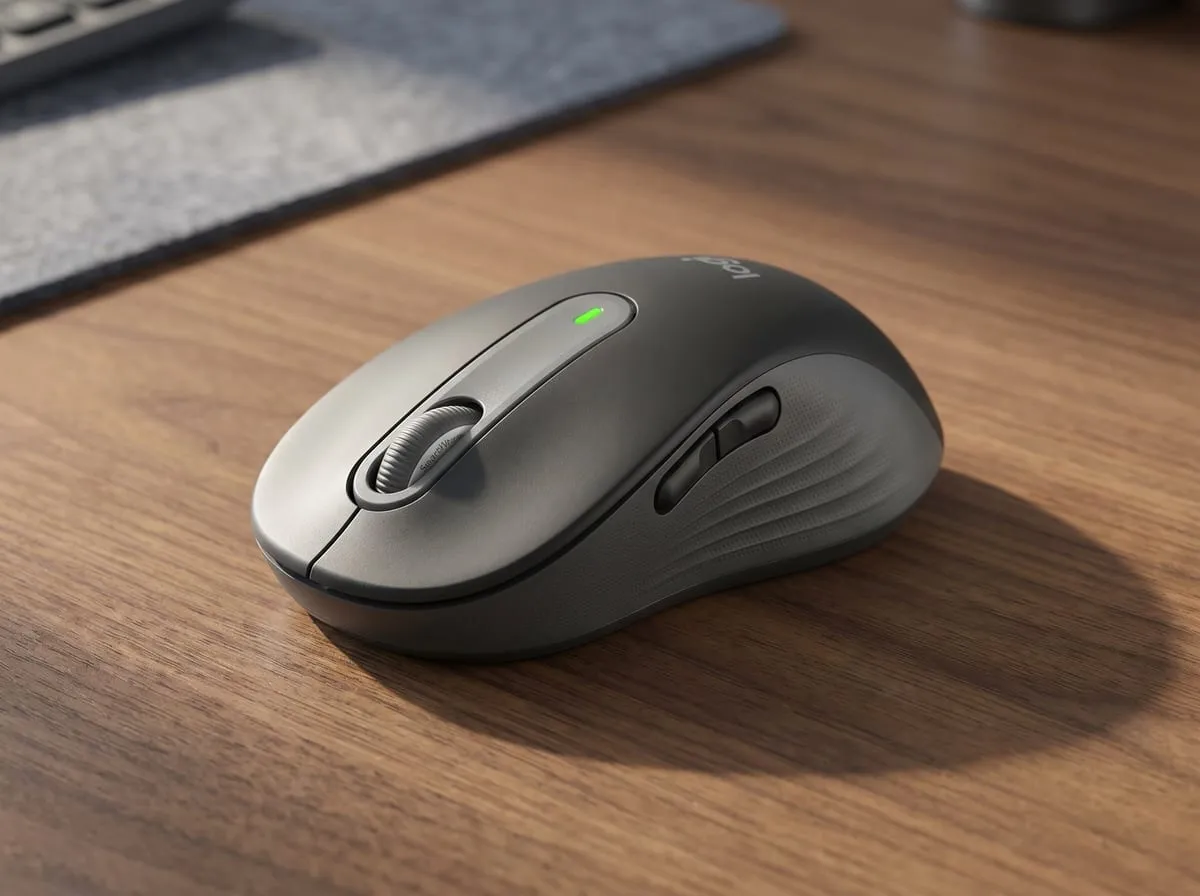
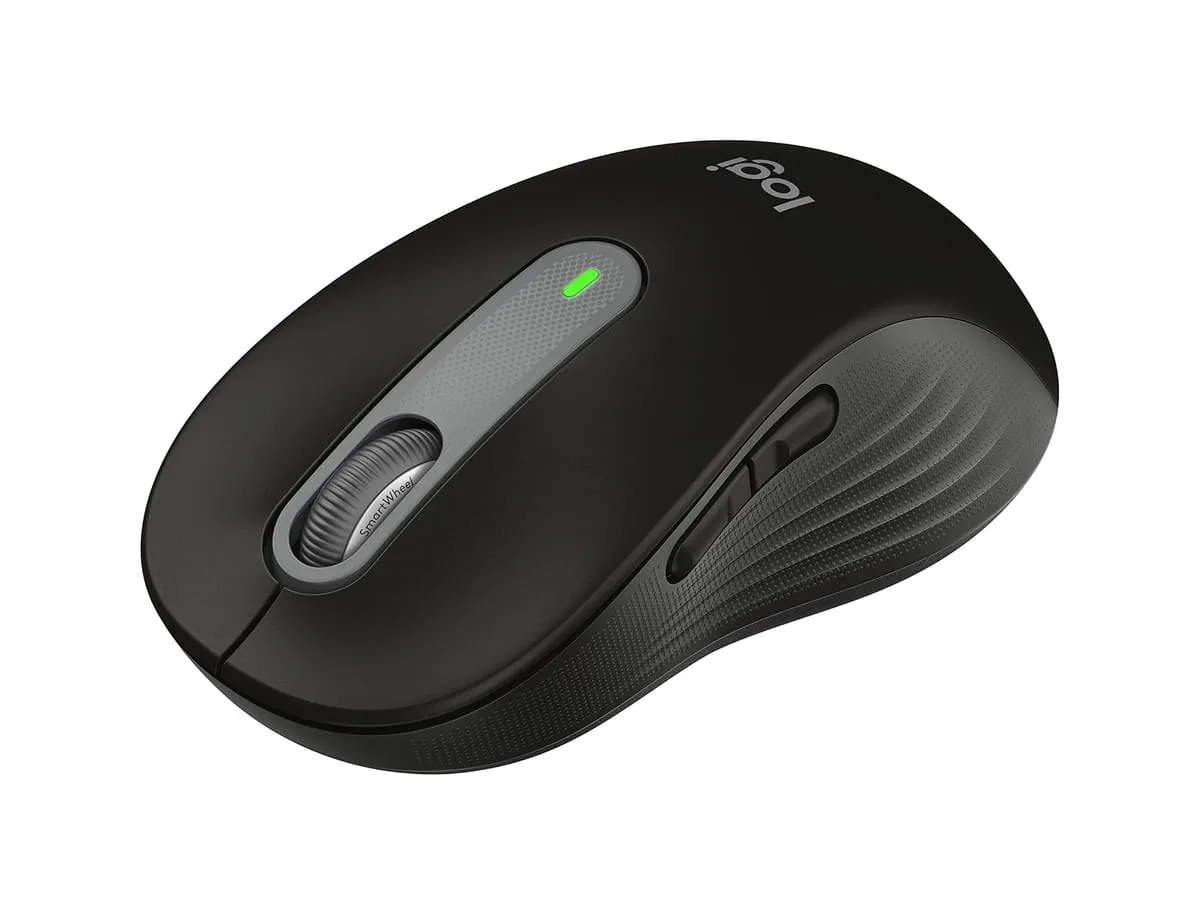
5. Logitech M650 Silent Wireless Mouse
🏷️ THE BEST BUDGET WIRELESS MOUSE · INPUT
The Logitech M650 Silent Wireless Mouse is the quiet upgrade for shared rooms and late nights. Logitech’s SilentTouch clicks are about 90% quieter than a standard mouse while keeping the tactile feel, and Tom’s Guide names it the best budget wireless mouse. Two-year battery, dual Bluetooth and Logi Bolt USB-receiver connectivity, customizable side buttons via Logi Options+, and three body sizes including a left-handed option.
Verified buyers describe a mouse they never hear click after nearly a year of gaming, work, and browsing, quiet enough to spare a sore clicking finger, with battery that lasts and a clean dongle-free Bluetooth connection. — Paraphrased from verified-buyer reviews
Pros
- SilentTouch clicks, about 90% quieter, tactile feel kept
- Two-year battery on a single AA
- Dual connect: Bluetooth + Logi Bolt USB receiver
- Logi Options+ customization for side buttons + SmartWheel
- Sizes M, L, and left-handed; ECOLOGO certified
Specs at a Glance
- Clicks: SilentTouch (about 90% quieter)
- Battery: 2 years (1× AA)
- Connectivity: Bluetooth + Logi Bolt
- Price band: about $30–40
Good to Know — It’s an everyday office mouse, not a vertical ergo mouse. Tom’s Guide flags that it may not suit all-day professional ergonomic use, and a small share of reviewers mention occasional double-clicks, which one detailed buyer traces to battery or contact, not a defect. Pick your size: M for most hands, L for larger.
⭐ My rating: 4.5 / 5 · Tom’s Guide best-budget wireless mouse
Read the full Logitech M650 review →
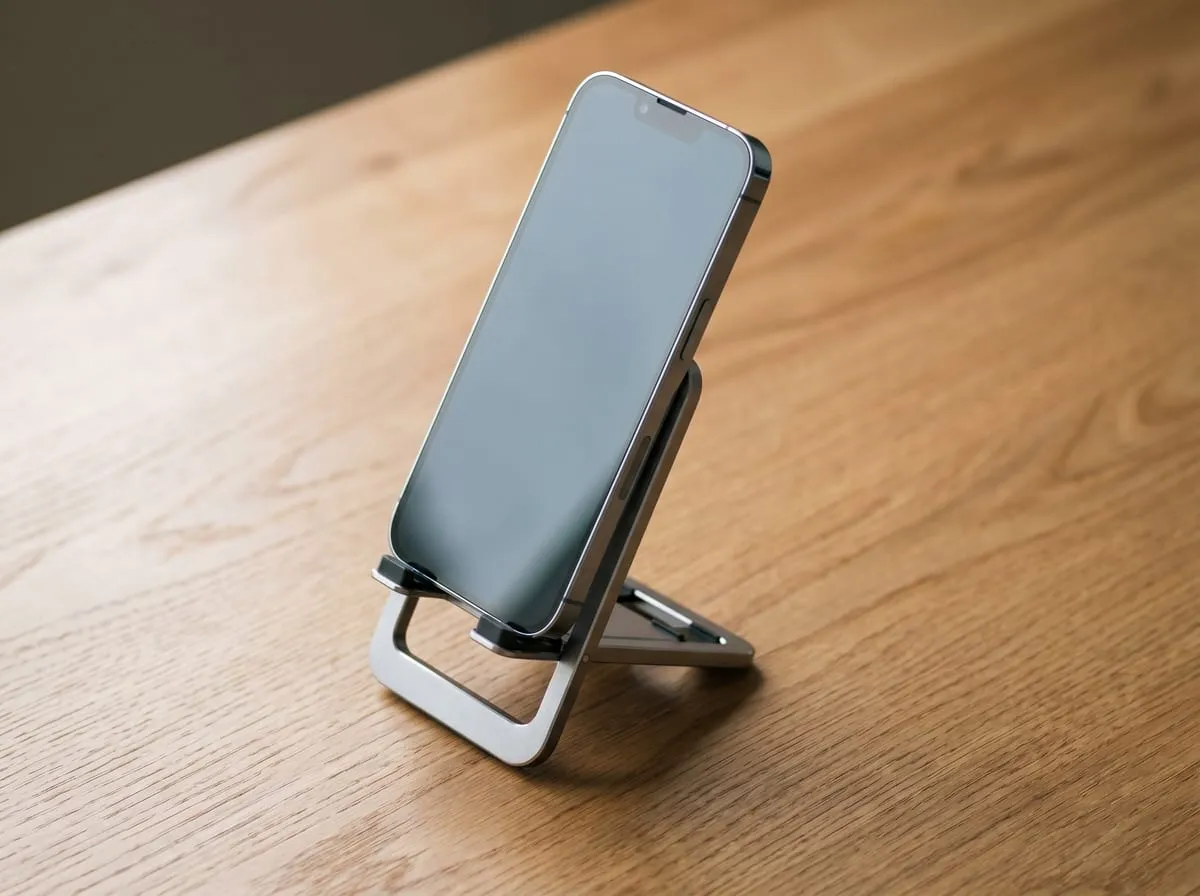
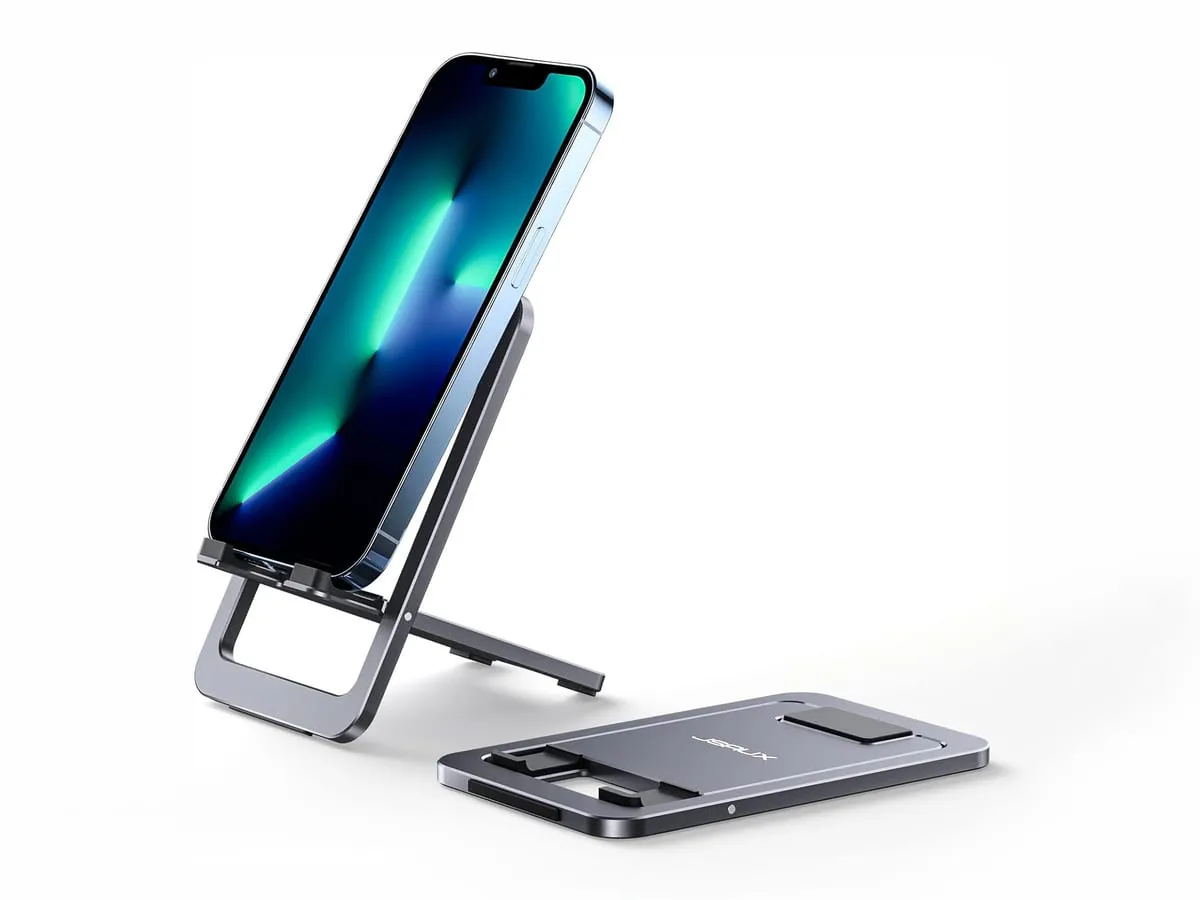
6. JSAUX Foldable Aluminum Phone Stand
🏷️ THE DESK UPGRADE PICK · PHONE
The JSAUX Foldable Aluminum Phone Stand is the finishing touch that gets your phone off the desk and to eye level. Solid aluminum, adjustable from flat to upright (0–90°), with anti-slip and anti-scratch silicone pads. It fits 4–8” phones and small tablets, leaves room for a charge cord while docked, and folds slim enough to drop in a bag. The Gadgeteer’s review echoes the buyer consensus: once it’s on the table, it isn’t going anywhere.
Verified buyers are surprised how tank-solid the all-aluminum build feels at the price: tightly hinged with no slip, holding even a large phone steady, with room for a charge cord while docked. — Paraphrased from verified-buyer reviews
Pros
- Solid aluminum + silicone pads: anti-slip base, anti-scratch contact
- Adjusts 0–90°, flat to upright
- Fits 4–8” phones and small tablets; room for a charge cord
- Folds flat (about 4 oz) for travel
Specs at a Glance
- Material: Aluminum alloy + silicone
- Tilt: 0–90° adjustable
- Fits: 4–8” phones / small tablets
- Price band: about $8–10
Good to Know — It’s a bit heavy for its size. That weight is the point. It’s what keeps the stand from sliding when you tap the screen. It’s also a passive stand with no charging built in, which is exactly why the Anker charger earns its own slot in this set.
⭐ My rating: 4.8 / 5 · The Gadgeteer reviewed
All six picks at a glance
Priority order recommendation
If you only buy one, start where your desk annoys you most.
If your neck and posture are the problem, the Lamicall stand is the highest-confidence pick on this list. It’s TechRadar’s #1 stand overall, and the one that raises your screen to eye level and opens airflow under the laptop.
If the room is too loud or shared, the Logitech M650 is the fix: Tom’s Guide’s best-budget mouse, with clicks you stop hearing on calls and after the house is asleep.
If you’re tired of the in-box brick, the Anker Nano reclaims the outlet and the bag, packing a full 30W in a body that disappears into a pocket.
For a few dollars that punch above their price, the Chfeila clips (about $7) and the JSAUX stand (about $8–10) are the impulse-tier wins, and the Quntis light bar fixes the lamp glaring off your screen for around $30.
All six land under $50, and together they turn a working surface into a setup that actually feels done.
FAQ
Q: Are these actually all under $50? A: Yes — at the time of writing the whole set ladders from about $7 (Chfeila clips) up to about $35–40 (Logitech M650), with the Anker, Quntis, Lamicall, and JSAUX in between. Prices drift, so the bands here are rounded with headroom; check the live Amazon price via each link before buying.
Q: Which one should I buy first? A: Start with the upgrade that fixes your biggest daily annoyance. For posture and a low screen, that’s the Lamicall stand. For a noisy mouse in a shared room, the Logitech M650. For outlet and bag clutter, the Anker Nano. The clips, phone stand, and light bar are cheap enough to add alongside whichever you pick first.
Q: Did you test these yourself? A: No — this is an editorial roundup, not a hands-on test. The picks are sorted from verified Amazon reviews, manufacturer specs, and named third-party coverage (TechRadar, Tom’s Guide, TechGearLab, The Gadgeteer), all cited in the sections above. The ratings are my own editorial assessments, not Amazon’s star averages.
Q: How was this list put together, and who paid for it? A: It was compiled from verified buyer reviews on each listing, spec sheets, and the editorial reviews cited inline. No brand paid for placement, sent free product, or had editorial input. Nova’s Picks earns a small commission if you buy through the affiliate links — that’s the entire revenue model, disclosed at the top of every post.
Made up your mind? Jump back to the side-by-side comparison ↑
Join the Nova’s Picks community 🔍
Get new honest reviews, roundups & finds first — and ask me what to buy before you do.
Join the free Facebook group →Categories: Tech · Desk Accessories · Roundup