Published
- 18 min read
Keychron K2 HE Review: The Hall-Effect Keyboard at Half the Price
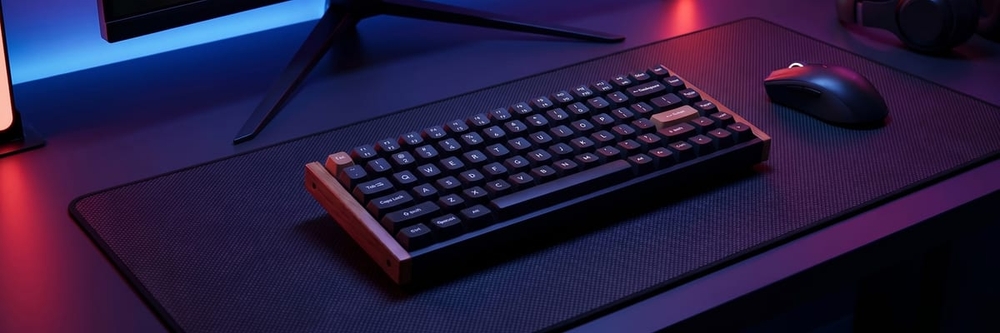
Curated by Nova · vibespecs
⭐ My editorial rating: 4.5 / 5 — how I rate →
Heads up: This is an editorial review compiled from verified Amazon reviews, manufacturer specifications, and named editorial coverage from Tom’s Hardware, Tom’s Guide, and RTINGS. The rating above is my own editorial rating, not an average of Amazon’s stars. It contains Amazon affiliate links — if you buy through them I earn a small commission at no extra cost to you. The picks are based on what the data says, not on sponsorship; no brand paid for or pre-approved this post.
Hall Effect keyboards used to be a flex spec. Wooting started the category at $200+, SteelSeries took the Apex Pro to $250, Razer and Corsair followed with their own magnetic-switch flagships, and the cluster of brands that mattered all sat in the same $200-300 price band. The pitch was the same across every product page: magnetic switches sense the analog position of the key (not just an on/off contact), which unlocks adjustable actuation, Rapid Trigger continuous reset, and joystick-like analog input for racing and flight games.
For most buyers, the price tag kept Hall Effect on the wishlist. Then Keychron shipped the K2 HE Special Edition.
The Keychron K2 HE ships at ~$200-220 (the Aluminum + Walnut Special Edition), with Gateron Double-Rail magnetic switches, per-key adjustable actuation from 0.2mm to 3.8mm, Rapid Trigger, 1000Hz polling on 2.4GHz wireless, and a 75% wireless layout with QMK/VIA. Tom’s Hardware named it Editor’s Choice. Tom’s Guide called it “a magnetic masterpiece.” RTINGS confirmed the per-key actuation works end-to-end through the Keychron Launcher web app.
The hook isn’t subtle. This is the keyboard for the buyer who’d otherwise pay ~$250 for a SteelSeries Apex Pro, sized into a wireless 75% with a wood-frame aesthetic that doesn’t look like a gamer-product on a desk. It isn’t the highest-polling-rate Hall Effect keyboard on the market (that’s still the 8000Hz Wooting / SteelSeries flagships for top-tier esports), but for everyone short of that competitive tier, the K2 HE closes the gap.
Short version: yes, this is the smart Hall Effect pick at the price point. Here’s the breakdown.
First Impression: What Buyers Notice on Day One
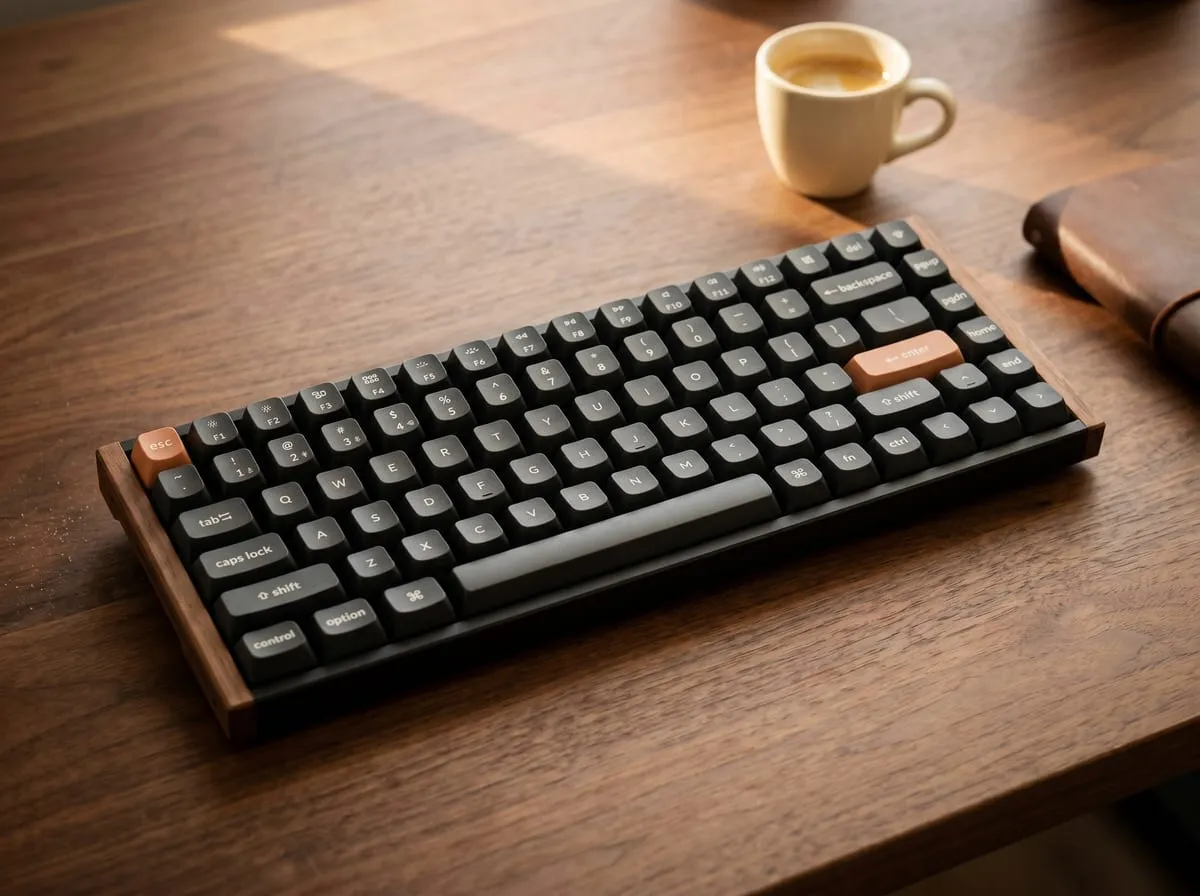
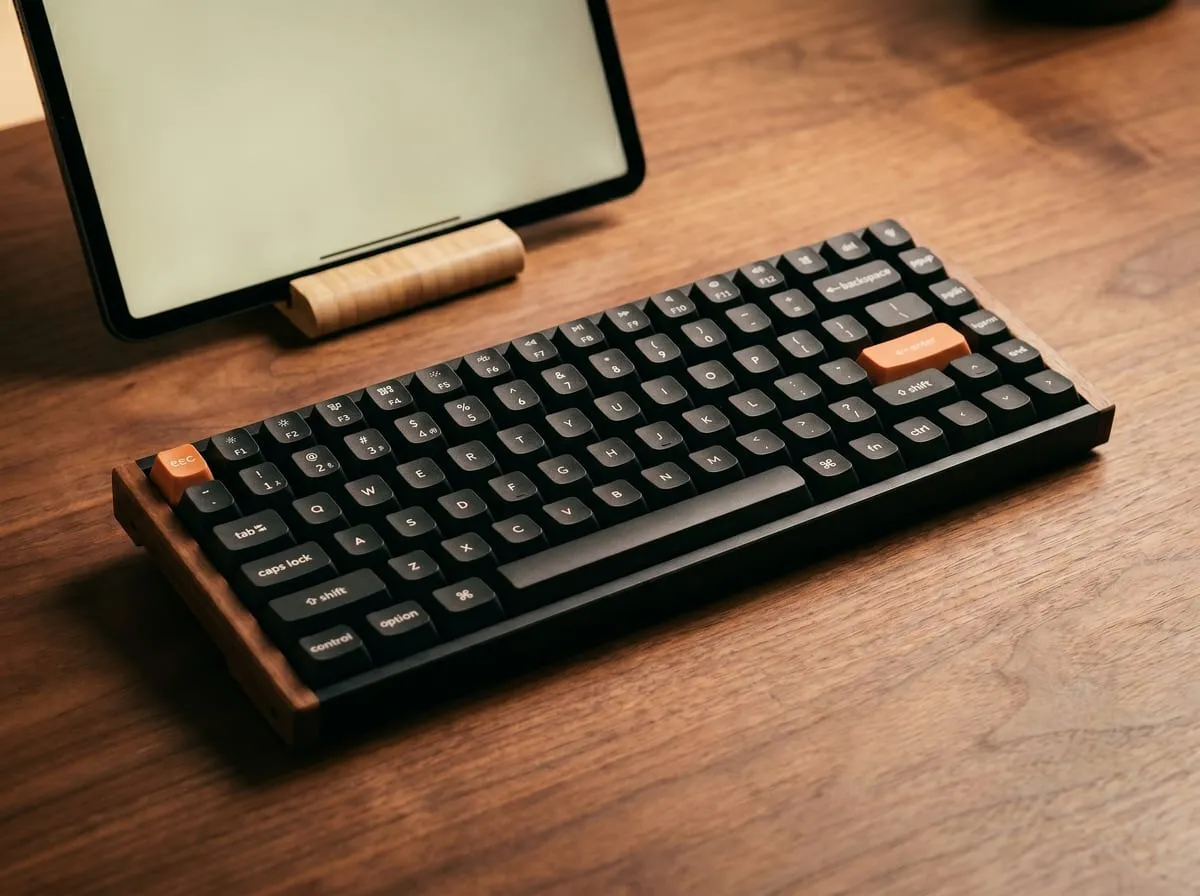
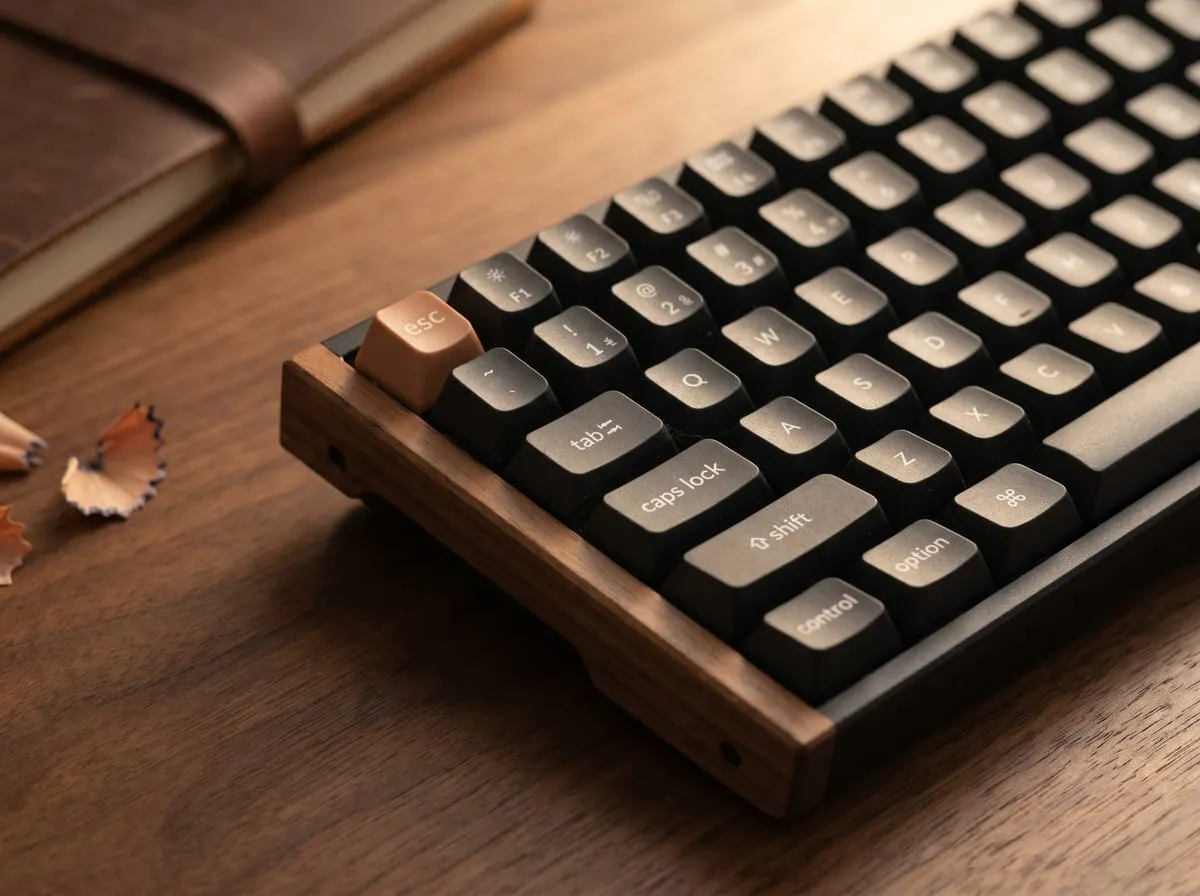
The first thing buyers mention is the build. The Special Edition adds a CNC aluminum top frame with a walnut wood accent strip along the back edge — a design choice that lifts the K2 HE out of the gamer-product visual category and into desk-furniture territory. Tom’s Hardware framed it directly: “If you’re after a keyboard for your mid-century gaming den, this is the clacker you’re after.” Buyers echo it — one who bought it as a gift raves about the wood details and the sound of the switches.
The second thing is the sound. Gateron Double-Rail switches are the part of the spec sheet that surprises buyers most on day one. The “double rail” refers to the two-axis stabilizer guide inside each magnetic switch, which keeps the keystroke linear and reduces the high-frequency click most cheap magnetic switches produce. Tom’s Hardware put the typing feel above its decade-long preference: “The Gateron Double-Rail switches feel so good that I’m rethinking my decade-long love for tactile switches.” That’s a senior editor walking back a preference, not a marketing line.
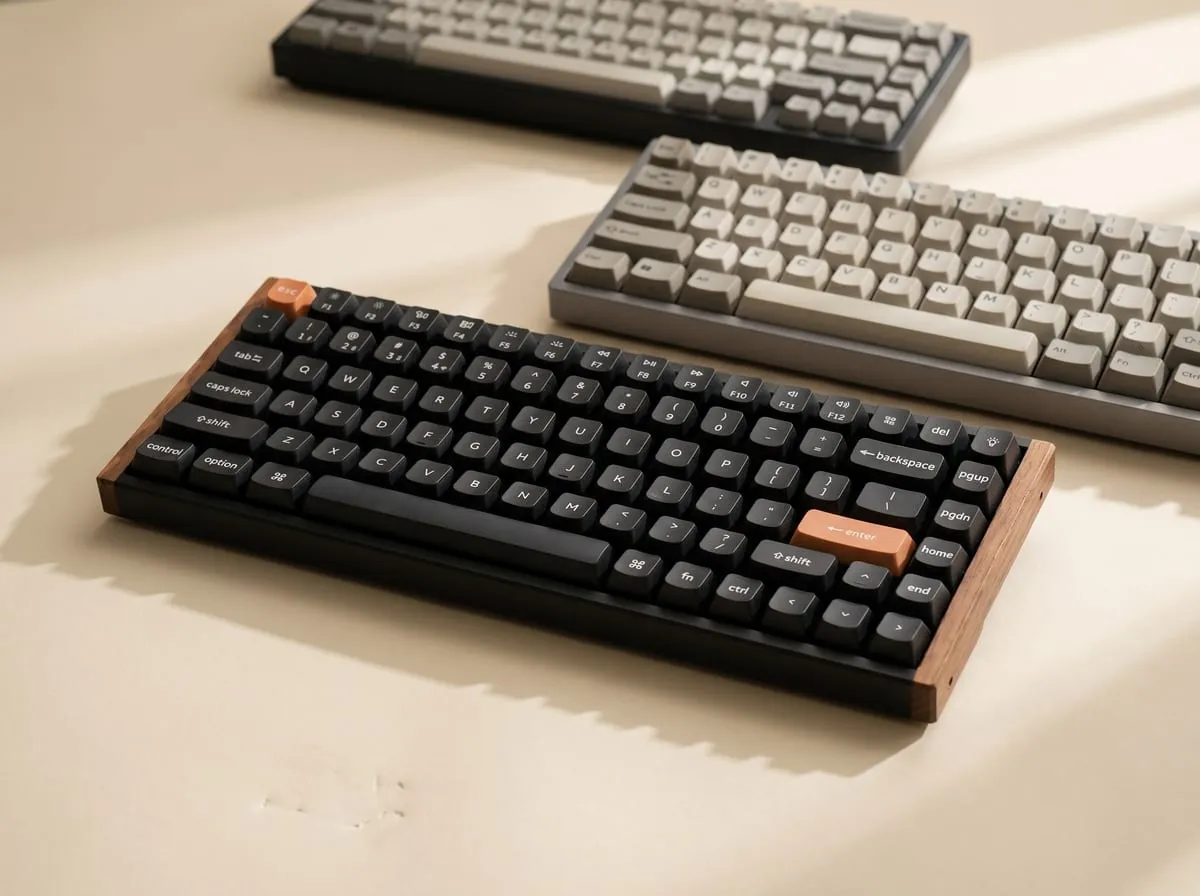
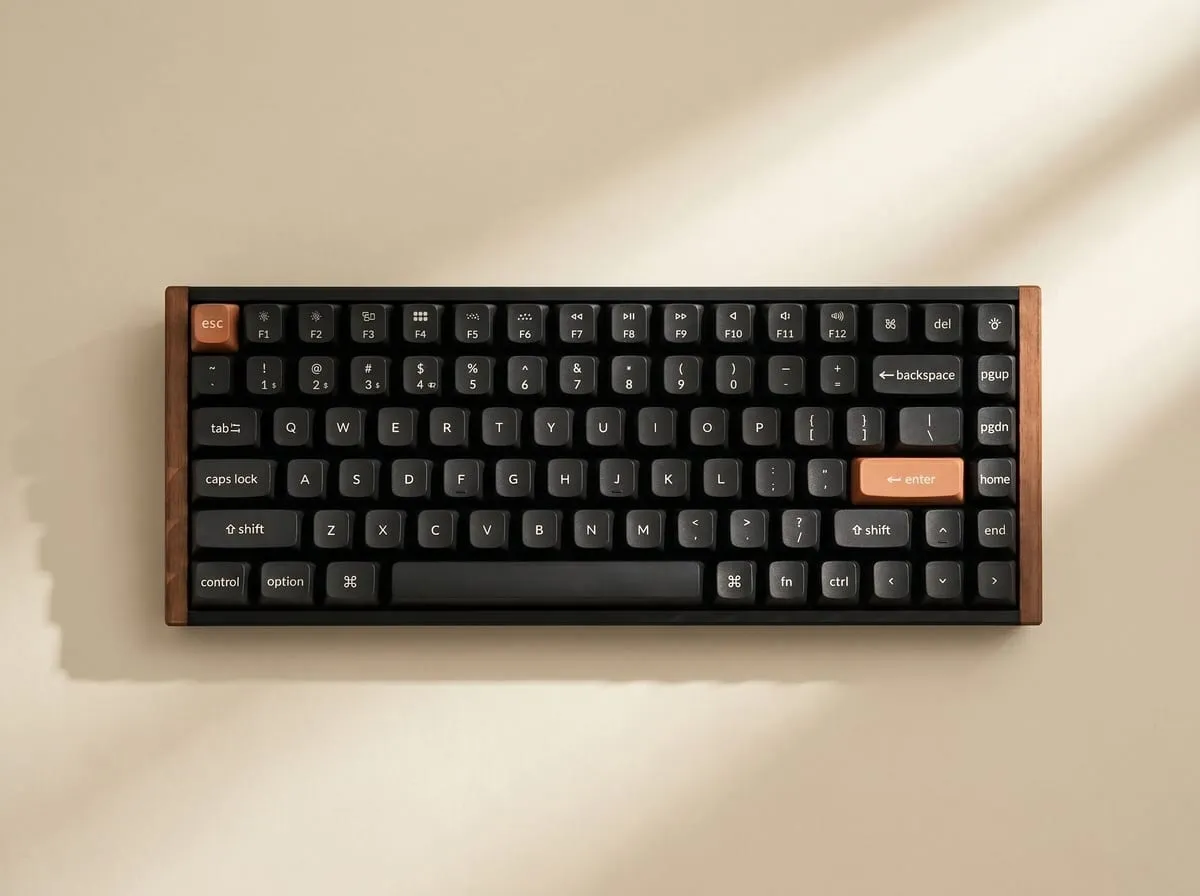
The third thing is the layout. The K2 HE is a 75% wireless: 84 keys, the function row preserved, the cluster on the right (PgUp/PgDn/Home/End) compressed but present. For buyers who tried and rejected 60% or 65% layouts because the missing function row broke a workflow, the 75% is the sweet spot. Mac and Windows toggle is a hardware switch on the side; the Mac-key cap set ships in the box.
Use #1: Gaming — Rapid Trigger and Per-Key Actuation
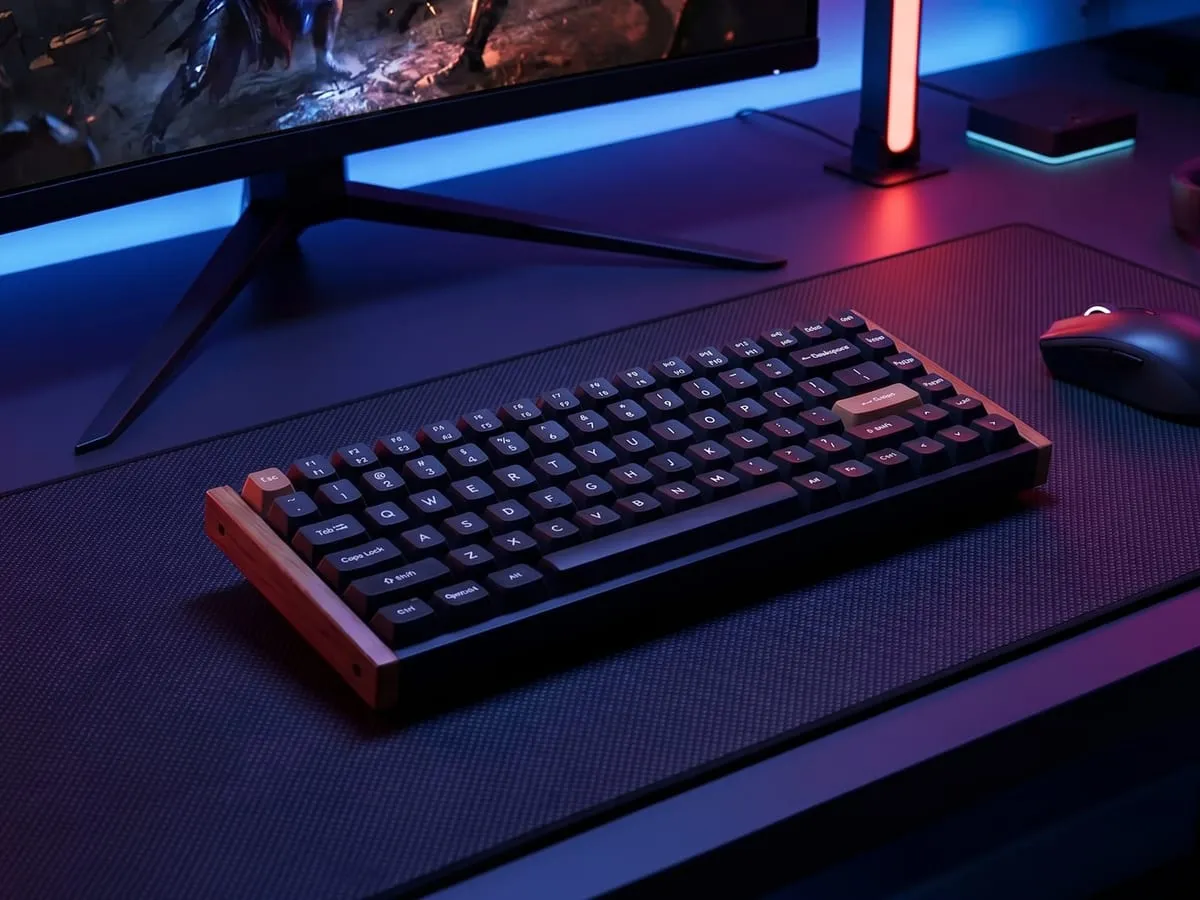
This is the use case Hall Effect was invented for, and it’s where the K2 HE earns the spec sheet.
Two features stack to make it work. Per-key adjustable actuation lets each key trigger at any depth from 0.2mm to 3.8mm via the Keychron Launcher web app (no install required — runs in Chrome or Edge). A counter-strike player sets WASD to a 0.2mm actuation for instant-response strafing, then sets the spacebar to a 1.5mm actuation to avoid accidental jumps when resting a thumb on the bar, then leaves the rest of the board at 2.0mm for typing. That’s per-key control that traditional mechanical switches physically can’t provide.
Rapid Trigger is the second half of the gaming case. Tom’s Guide explained it directly: “The key resets the moment you start lifting your finger, rather than requiring a fixed reset point, making movement feel incredibly responsive.” For FPS movement specifically — where stutter-step strafing depends on alternating WASD inputs as fast as the player can lift a finger — Rapid Trigger turns the keyboard into a near-instant input device. The SteelSeries Apex Pro popularized the feature; the K2 HE matches it at a lower price.
Buyers confirm the combined effect: they describe it as an outstanding gaming performer that’s also a dream to type on for work — smooth, responsive keys, with adjustable actuation giving total control whether working or in a competitive match.
One caveat the spec sheet doesn’t lead with: the K2 HE polls at 1000Hz in 2.4GHz wireless mode (and wired). That’s the standard SteelSeries Apex Pro rate and substantially better than Bluetooth-only keyboards (~125Hz), but the top-tier 8000Hz competitive boards (Wooting 60HE+, SteelSeries Apex Pro 8k) outpace it for esports-grade competitive play. RTINGS confirmed the math directly. For 95% of players, 1000Hz is undetectable from 8000Hz; for ranked-shooter pros, it isn’t.
Use #2: Productivity — The Typing Feel
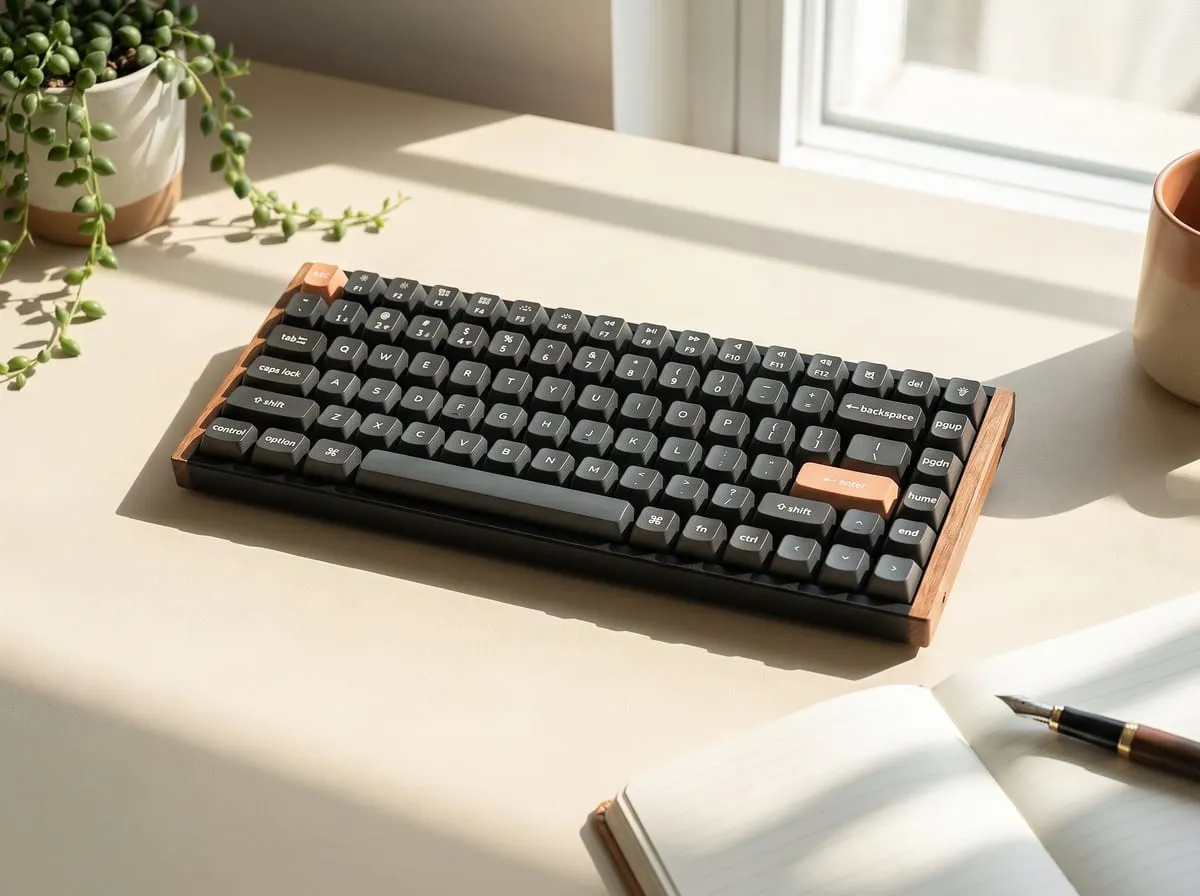
This is the use case that surprises buyers most. Hall Effect was sold as a gaming feature, and the typing feel on most competing magnetic boards is fine-but-not-great. The K2 HE is the exception.
Buyers put the typing-side reaction directly: the feel is great and the sound satisfying, even if it isn’t the quietest board around.
The Gateron Double-Rail switches deliver a linear actuation that reads more like a high-end Cherry MX silent than a magnetic switch. The two-axis stabilizer keeps the stroke straight, which matters for fast typists who’d otherwise feel wobble at the top of the key throw. Tom’s Hardware’s “rethinking my decade-long love for tactile switches” line is the senior-editor admission that captures this: a typist who’d previously preferred Cherry MX Brown / Boba U4T tactile switches found the K2 HE’s linear feel more comfortable for sustained typing.
The 75% layout helps too. Programmers who live in the function row (F2 to rename, F5 to refresh, F12 to debug) keep all of it. The compressed nav cluster on the right side (PgUp/PgDn/Home/End/Delete in a 1×4 column) is closer to a laptop layout than a full desktop board, which is unexpectedly fine after a few days.
The wood-frame Special Edition is the variant that earns the productivity sale. The plain plastic K2 HE is the gamer-product version; the walnut + aluminum is the work-desk version. For a buyer who wants a single keyboard that handles competitive shooting and a daily writing job, the Special Edition is the one to take.
Use #3: Wireless — Three Modes, One Caveat
The K2 HE ships with three connection modes: USB-C wired, 2.4GHz wireless (via the included low-latency dongle, 1000Hz polling preserved), and Bluetooth 5.2 (up to three paired devices, hot-switchable). The 2.4GHz mode is the gaming-relevant one — wireless without the typical Bluetooth latency penalty. Bluetooth is for the multi-device setups: pair the keyboard to a laptop, a tablet, and a phone, and switch between them with a hotkey.
Most Hall Effect competitors at this tier are wired-only. Wooting 60HE: wired. SteelSeries Apex Pro: wired. Razer Huntsman: wired. The K2 HE is one of the only Hall Effect boards on the market with full wireless support, and at the 1000Hz polling rate that matters for gaming. For desk setups where the keyboard sits behind a clean wireless macOS or Linux workstation and the gaming PC is paired via the 2.4GHz dongle, this is genuinely category-leading.
The honest battery caveat: buyers flag it directly — battery life is decent, but during longer coding sessions some find themselves charging it every other day.
Real-world battery on the K2 HE is roughly two days of heavy use with backlight on (~10-12 hours daily of mixed typing/gaming). Backlight off extends this substantially (Keychron rates 200+ hours with backlight off). For comparison, the entry-level Keychron K2 with traditional switches runs longer because magnetic switches plus RGB plus continuous polling draws more power. Plug in via USB-C overnight; the keyboard charges to full in under three hours and works wired while charging.
Good to Know Before You Buy
Three frictions show up in the verified Amazon reviews that the spec sheet doesn’t mention:
Firmware update is fiddly. Buyers flag it: the only real hiccup is the firmware-update process, which means unplugging the USB-C cable, holding the escape key, and plugging it back in. This is Keychron’s bootloader-recovery process — works fine once you know the sequence, but the first attempt feels broken until you find the right thread on the Keychron forum. Worth knowing on day one so you don’t ship the keyboard back assuming a defect.
Key legends invisible in the dark with backlight off. Buyers note it again: the keys aren’t visible in the dark, and because the modifier arrangement (shift, enter) differs from a standard board, some find themselves glancing down from time to time.
The keycaps are double-shot PBT with shine-through legends — visible with backlight on, invisible with backlight off. For touch typists this isn’t an issue. For anyone who looks down to find Shift / Enter / arrow keys, the backlight needs to be on, which trades against battery life. Solution: set the backlight to a low static color in the Keychron Launcher and leave it on.
75% nav cluster takes a few days. The compressed PgUp/PgDn/Home/End column on the right side is shorter than a full TKL layout. People who muscle-memoried a full-size layout report a 3-5 day adjustment period.
None of these are deal-breakers. All three are honest frictions worth knowing before purchase.
Head-to-Head: vs. SteelSeries Apex Pro and Wooting 60HE
The fair comparison is to the two Hall Effect flagships:
SteelSeries Apex Pro (TKL or Mini, ~$250): Wired-only, 1000Hz polling (Pro 8K variant goes to 8000Hz for ~$300), per-key OmniPoint actuation, dedicated OLED screen on the full-size variant. The Apex Pro is the established benchmark and the most popular Hall Effect competitor in shooter esports. The K2 HE matches the per-key actuation feature, matches the 1000Hz polling rate, adds wireless, adds 75% layout, and saves $50-80. What the Apex Pro keeps: wider compatibility with esports drivers, the brand established in pro player rotations.
Wooting 60HE (~$200): Wired-only, 60% layout (no function row), 8000Hz polling, the longest-standing Hall Effect product on the market. The Wooting is the analog-input pioneer — the racing/flight-sim use case is its strongest angle, and the 60% layout suits a competitive shooter who wants maximum desk space. The K2 HE trades the analog joystick precision for a 75% layout that keeps the function row + nav cluster intact, plus full wireless support the Wooting lacks.
Razer Huntsman V3 Pro (~$200): Optical (not magnetic) switches, 8000Hz polling, wired-only, full-size or TKL. Different actuation technology but the same use case bracket. The K2 HE’s magnetic switches arguably feel better for typing; the Razer optical switches are slightly faster on raw input latency.
The pricing math: at ~$200-220 the K2 HE Special Edition is between the Wooting and the Apex Pro. What the K2 HE gives up: the 8000Hz polling for top-tier esports. What it adds versus all three: full wireless (BT + 2.4GHz), 75% layout, walnut + aluminum design, Mac compatibility out of the box, QMK/VIA firmware customization, hot-swap magnetic sockets.
For a buyer at the upper end of the K2 HE price band who genuinely needs 8000Hz polling for competitive ranked play, the Apex Pro 8K or Wooting 60HE+ are the right call. For everyone else — and that’s 95% of the market — the K2 HE is the smarter buy.
Features Breakdown
The hero specs:
- Gateron Double-Rail magnetic switches — Two-axis stabilizer, linear actuation, hot-swappable in the magnetic socket. The standout of the spec sheet.
- Per-key adjustable actuation 0.2mm-3.8mm — Via Keychron Launcher web app (no install). Set per-key in a graphical interface.
- Rapid Trigger — Continuous-reset actuation matches SteelSeries Apex Pro behavior.
- 1000Hz polling — Wired and 2.4GHz wireless. Standard for the Apex Pro; below the 8000Hz competitive flagships.
- 75% wireless layout (84 keys) — Function row preserved, compressed nav cluster on the right.
- Three connection modes — USB-C wired, Bluetooth 5.2 (3 paired devices), 2.4GHz wireless dongle.
- Battery — ~2 days heavy use with backlight; 200+ hours rated with backlight off.
- South-facing RGB per-key — Backlight oriented toward the user (not toward the back of the keyboard), so legends shine through clearly.
- CNC aluminum + walnut frame (Special Edition) — Plain plastic K2 HE also available at a lower tier.
- QMK/VIA firmware — Open-source customization beyond the Keychron Launcher.
- Mac + Windows compatibility — Hardware OS toggle switch on side, Mac keycaps in box.
- Hot-swap magnetic switch sockets — Replace individual magnetic switches without soldering.
Notable absences:
- 8000Hz polling not available (use Wooting 60HE+ or Apex Pro 8K for that)
- No analog joystick mapping like Wooting (the K2 HE supports adjustable actuation but not gamepad emulation)
- No dedicated wrist rest in the box (compatible with standard wrist rests, sold separately)
- No bundled wired-only mode override (the keyboard works wired, but the 2.4GHz dongle and Bluetooth modes can’t be disabled in firmware for tournament play)
Is It Worth ~$200?
The short answer: yes, comfortably, for buyers who’d otherwise pay $250 for a SteelSeries Apex Pro or who want a Hall Effect keyboard that also works wireless.
The math:
- The SteelSeries Apex Pro (~$250) is the established benchmark — wired-only, same 1000Hz polling, slightly broader esports compatibility.
- The Wooting 60HE (~$200) is the analog-input specialist — 60% layout, 8000Hz polling, wired-only.
- The Razer Huntsman V3 Pro (~$200) uses optical switches at 8000Hz — wired-only, full or TKL layout, gaming-product aesthetic.
- The Keychron K2 HE Special Edition at ~$200-220 with full wireless, 75% layout, walnut + aluminum frame, Mac compatibility, and QMK/VIA.
What you give up versus the Apex Pro 8K or Wooting 60HE+: 8000Hz polling for top-tier esports (genuinely indistinguishable from 1000Hz for 95% of players, statistically advantageous for ranked-shooter pros). What you give up versus a Cherry MX or Boba U4T mechanical: the tactile bump some typists prefer (the Gateron Double-Rail is linear-only).
What you get over every Hall Effect competitor at this price: wireless, the 75% layout, the design language that fits a work desk and a gaming setup, and the typing feel Tom’s Hardware specifically called out.
For buyers building out the rest of a premium desk setup at the same price tier, the Marshall Emberton III review covers the audio side of the same demographic — both products are designed to look like furniture rather than gadgets. The K2 HE also appears in the broader Best Tech Gifts For Him 2026 roundup alongside the rest of the lineup.
How we scored the Keychron K2 HE — 4.5 / 5
My rating isn’t an average of anyone’s stars — it’s an editor’s read across the things that actually decide whether a Hall Effect keyboard earns its spot — weighed from the feature set, the published specs, the build, and the themes that recur across owner feedback. Here’s how the Keychron K2 HE landed:
| What we weighed | Call | Why |
|---|---|---|
| Core gaming performance | Strong | Per-key actuation from 0.2mm to 3.8mm plus Rapid Trigger match the SteelSeries Apex Pro feature set; 1000Hz polling is competitive but below the 8000Hz esports flagships. |
| Typing feel | Excellent | Gateron Double-Rail switches won over a Tom’s Hardware editor’s decade-long tactile preference, reading more like a high-end linear than a typical magnetic switch. |
| Wireless & connectivity | Excellent | USB-C, 2.4GHz at 1000Hz, and Bluetooth 5.2 for three devices — full wireless that the wired-only Apex Pro, Wooting, and Razer rivals don’t offer. |
| Build & design | Excellent | The CNC aluminum and walnut Special Edition frame reads as desk furniture rather than a gamer product, with a 75% layout that keeps the function row. |
| Value | Strong | At about $200-220 it sits between the Wooting 60HE and the $250 Apex Pro while adding wireless, the 75% layout, and Mac compatibility out of the box. |
Why 4.5 and not a perfect 5: the 1000Hz polling caps it below the 8000Hz competitive boards that ranked-shooter pros need, and the honest frictions add up — a fiddly firmware-update sequence, key legends that disappear with the backlight off, and a battery that needs charging every other day under heavy use.
This is my own editorial rating — not an average of Amazon’s stars. How I rate →
The Verdict
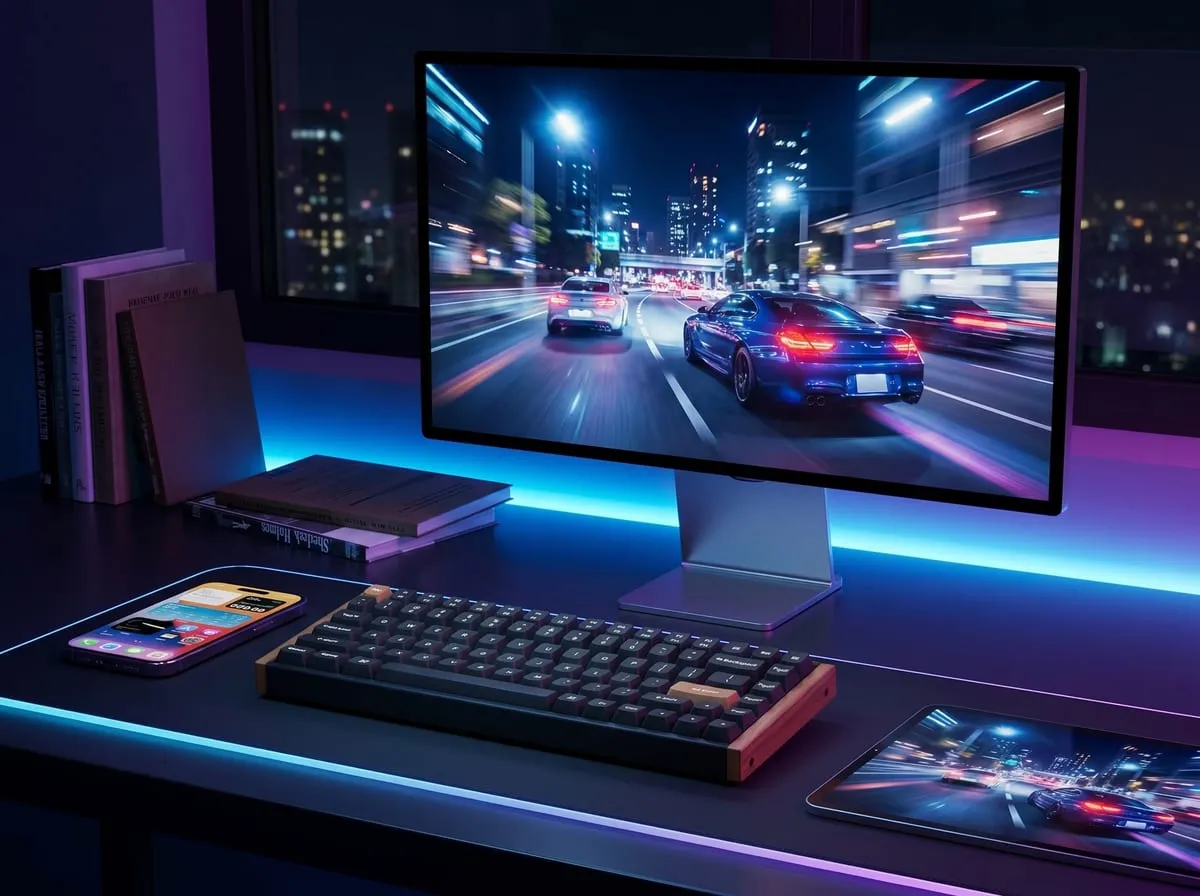
After working through the Tom’s Hardware Editor’s Choice review, the Tom’s Guide “magnetic masterpiece” framing, the RTINGS per-key actuation confirmation, and the Amazon set across the 75% wireless walnut + aluminum Special Edition, here’s the read: the Keychron K2 HE is the smartest Hall Effect buy on the market for everyone outside the 8000Hz ranked-esports tier. It matches the SteelSeries Apex Pro on per-key actuation, Rapid Trigger, and 1000Hz polling at a lower price; adds full wireless support that no other Hall Effect flagship offers; and arrives in a walnut + aluminum frame that looks like furniture rather than a gamer-product.
Three honest frictions (firmware update sequence, key legends invisible without backlight, a 3-5 day adjustment to the 75% nav cluster) are worth knowing before purchase but don’t materially change the recommendation.
Buy it if you:
- Want a Hall Effect keyboard without paying SteelSeries Apex Pro pricing
- Need full wireless support (BT + 2.4GHz at 1000Hz)
- Care about typing feel — the Gateron Double-Rail switches are the standout
- Use both Mac and Windows and want hardware-toggle compatibility
- Want a 75% layout that keeps the function row
- Like the walnut + aluminum aesthetic over gamer-product RGB excess
Skip it if you:
- Need 8000Hz polling for ranked competitive shooters (go Apex Pro 8K or Wooting 60HE+)
- Want analog joystick mapping for racing/flight sims (Wooting 60HE is the specialist)
- Prefer tactile switches (Cherry MX Brown, Boba U4T) over linear
- Need a full-size or TKL layout with a dedicated numpad
- Won’t tolerate the 2-day battery life with backlight on (consider backlight-off operation or wired-only)
FAQ
Q: What is a Hall Effect keyboard and why does it matter? Hall Effect switches use a magnet under each keycap and a sensor in the PCB to detect the analog position of the key (not just an on/off contact). This unlocks adjustable actuation (key triggers at any depth from 0.2mm to 3.8mm), Rapid Trigger (continuous reset for FPS movement), and joystick-like analog input. Traditional mechanical switches are binary — Hall Effect is graduated.
Q: How does the Keychron K2 HE compare to the SteelSeries Apex Pro? The K2 HE matches the Apex Pro on the gaming-relevant specs (1000Hz polling, per-key actuation, Rapid Trigger) at a lower price, adds full wireless support the Apex Pro lacks, and ships in a 75% layout that the Apex Pro doesn’t offer at all (Apex Pro is full-size or TKL only). What the Apex Pro keeps: deeper esports driver compatibility, the brand established in pro player rotations, the OLED screen on the full-size variant.
Q: Is the Keychron K2 HE good for gaming? Yes. The Hall Effect features (per-key actuation, Rapid Trigger) are gaming-grade and match the SteelSeries Apex Pro feature set. The 1000Hz polling rate is competitive for most genres. The one limit: top-tier 8000Hz competitive esports boards (Wooting 60HE+, Apex Pro 8K) outpace the K2 HE on raw polling rate, which matters for ranked-shooter pros. For the other 95% of players, the K2 HE is fully gaming-capable.
Q: How long is the wireless battery life? Real-world: about 2 days of heavy use (10-12 hours daily mixed typing + gaming) with backlight on. Backlight off: 200+ hours rated by Keychron. Charging is USB-C; the keyboard works wired while charging.
Q: Does it work with Mac and Linux? Yes. Hardware toggle switch on the side flips between Mac and Windows modes; Mac keycaps ship in the box. Linux works via the standard USB HID interface; QMK/VIA firmware customization is supported across all three operating systems.
Q: Can you replace the magnetic switches? Yes. The K2 HE has hot-swap magnetic sockets — pop the keycaps off, pull the switch out with the included puller, plug a new magnetic switch in. No soldering required. (Note: only magnetic switches are compatible — traditional mechanical switches will not work in the magnetic sockets.)
Q: Where can I buy the Keychron K2 HE? Available on Amazon here. Typically faster delivery and easier return than third-party listings.
Join the Nova’s Picks community 🔍
Get new honest reviews, roundups & finds first — and ask me what to buy before you do.
Join the free Facebook group →